
Flowfile 0.17: Multi-Field Formula, Auto-Connect, Database Backups
0.17.0 through 0.17.6: one formula over many columns, nodes that wire themselves on drop, dashboard filters across tables, a data cleansing node, catalog snapshots before every migration.
Everything in 0.17.0 through 0.17.6 except the two features that got their own posts: Alteryx import and geospatial community nodes.
Multi-field formula
One expression, many columns. Pick the columns — all, a list, or every column of one type — and write the formula with [_CurrentField_] standing in for whichever column is being processed. [_CurrentFieldName_] and [_CurrentFieldType_] give the column’s name and type as text, so one formula can branch on what it’s looking at; any other column can still be referenced by name.
Twelve month columns and a Total: apply [_CurrentField_] / [Total] * 100 to the months, write to new columns with the suffix % Total, and January % Total through December % Total are appended in one node instead of twelve.
![Multi-Field Formula settings: Apply to Specific columns, the formula [CurrentField] / [Total] * 100, output to new columns with the suffix % Total, and a preview mapping January through April onto January % Total through April % Total](/images/blog/flowfile-multi-field-formula-settings.png)
All columns are evaluated in one pass, so a formula that overwrites a column still reads its original value. Exports as multi_field_formula() in the FlowFrame modes; the pure-Polars export reports it as unsupported. The Alteryx converter maps the Multi-Field Formula tool onto it.
Canvas
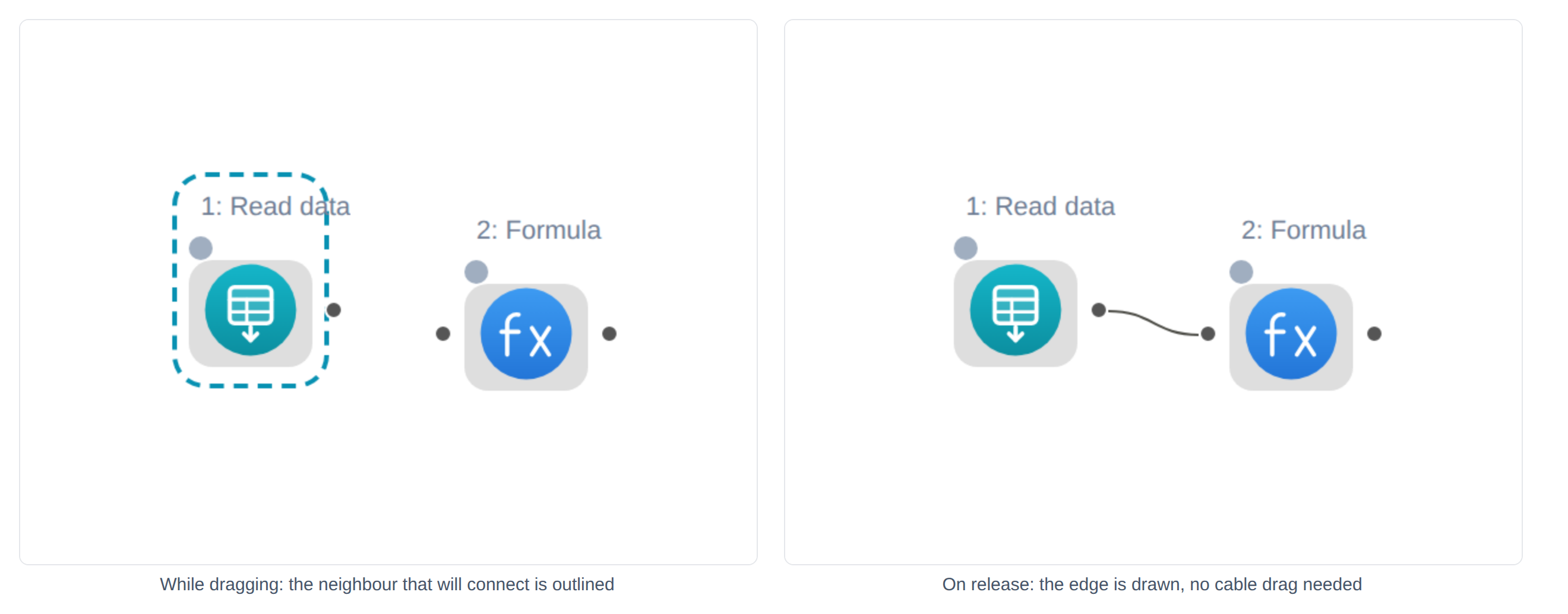
Auto-connect. Drop a node from the palette (or drag a still-unconnected one) within 180 canvas pixels of a neighbour’s facing handle and the edge is drawn for you. Right of the neighbour’s centre connects its output to your input; left feeds your output into its first free input. Next to a node with several outputs, such as a filter split’s pass and fail, the one nobody has used yet wins. Same behaviour in the browser editor.
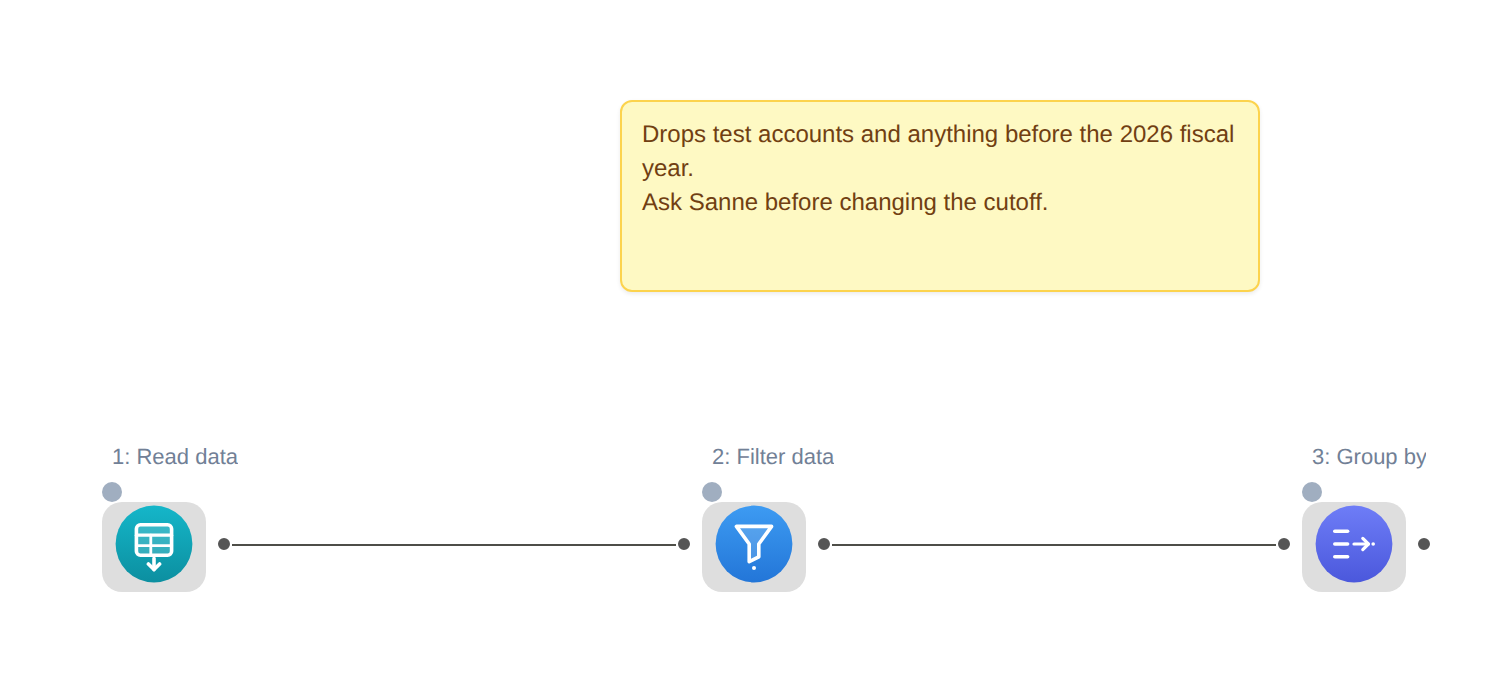
Canvas comments. Free text boxes on the canvas: right-click → Add comment, double-click to edit. They save with the flow and never affect execution. Alteryx Comment tools import as these.
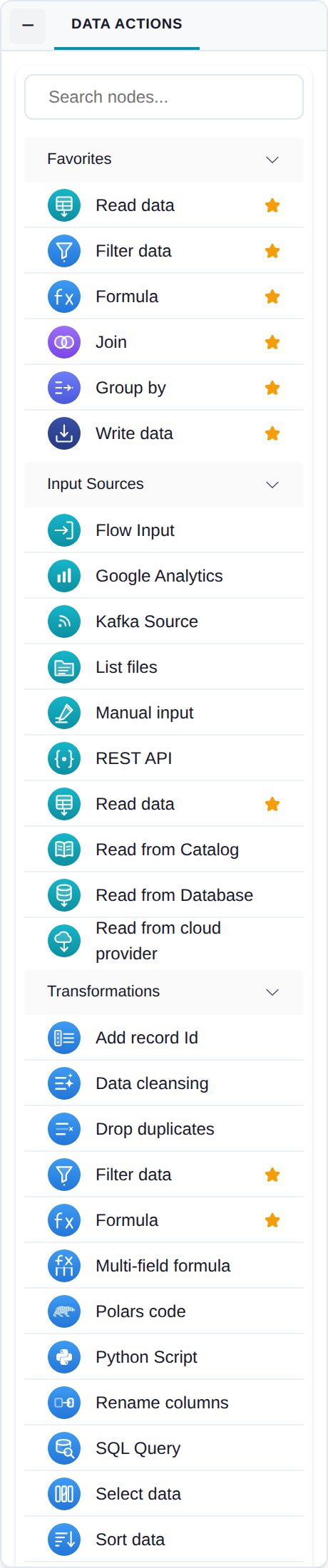
Favorites and hidden nodes. Right-click a palette entry to pin it to a Favorites group at the top or move it to a collapsed Hidden group at the bottom. Persists across sessions.
Dashboard filters across tables
A filter now applies to every tile with a column of the same name and a compatible type, not only the tiles reading the table it was created on. Categorical filters match text or numeric columns, numeric ranges only numeric, date ranges only dates. The filter dialog shows which tiles it reaches and why the rest are skipped. Also new: separator tiles, and thumbnails on the dashboard cards.
New nodes
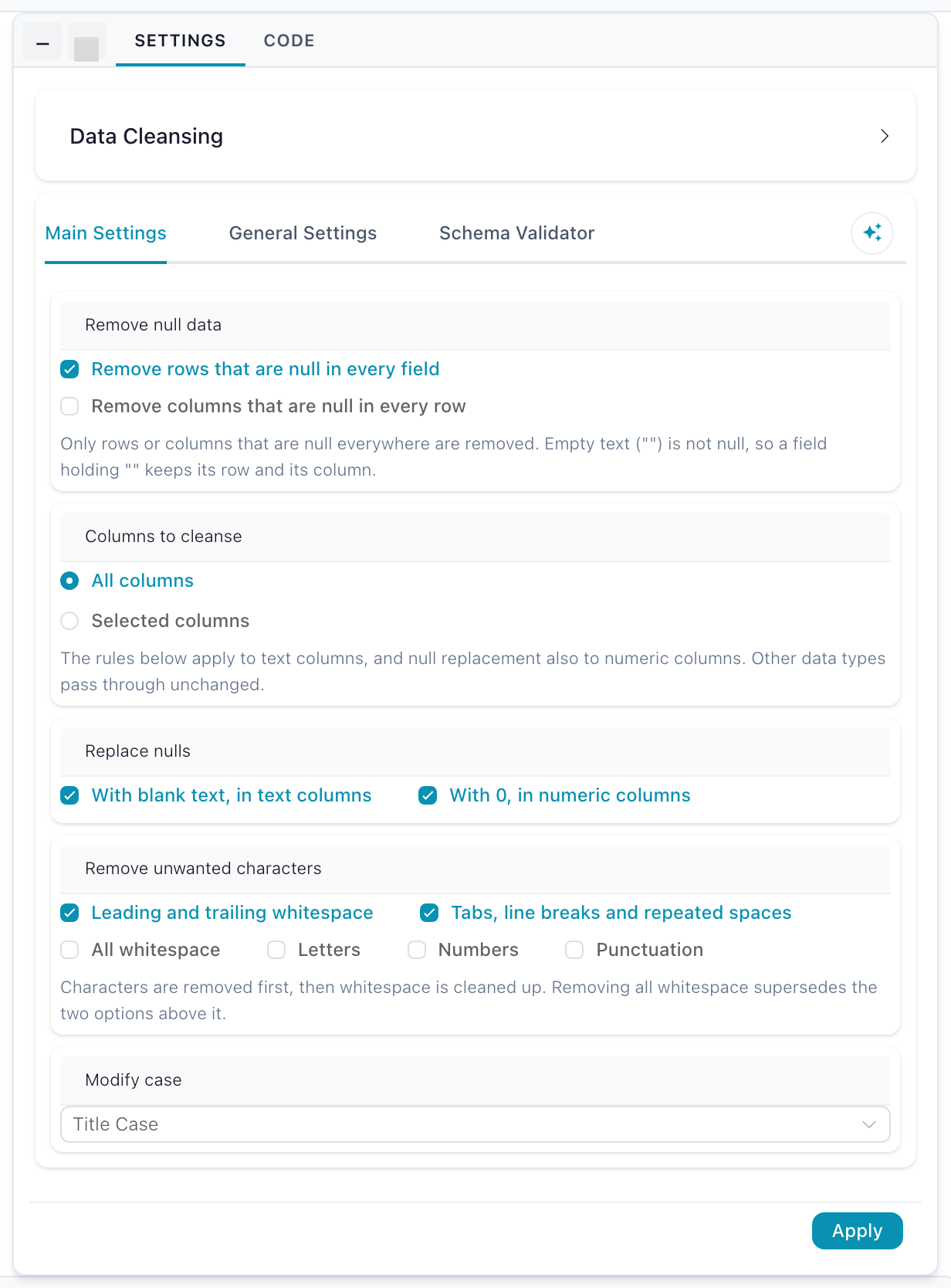
Data Cleansing — one node for the usual cleanup: drop rows or columns that are null everywhere, replace nulls with blank text or zero, trim or normalize whitespace, strip letters, numbers or punctuation, set case. The defaults (nulls replaced, whitespace trimmed) are useful before you open the drawer. Rules run in a fixed order — fill nulls, remove characters, then clean whitespace so the gaps left by removal collapse, then case. Alteryx’s Data Cleansing macro maps onto it.
List Files turns a directory into a table of paths and file metadata.
Python API: more calls become native nodes
Partition aggregates in the Window node — mean, sum, min, max, count, std, median, one value per partition broadcast to every row. col("price").mean().over("category") in the Python API becomes that node instead of an opaque Polars-code node, so it stays editable on the canvas.
Drop, filter, when. df.drop(...) becomes a Select node, df.filter(col("x") > 5) a Filter node, and when/then/otherwise a Formula node — when the generated formula parses in Flowfile’s formula language. If it doesn’t, the call stays on the Polars-code path rather than becoming a Filter that silently keeps zero rows.
Infrastructure
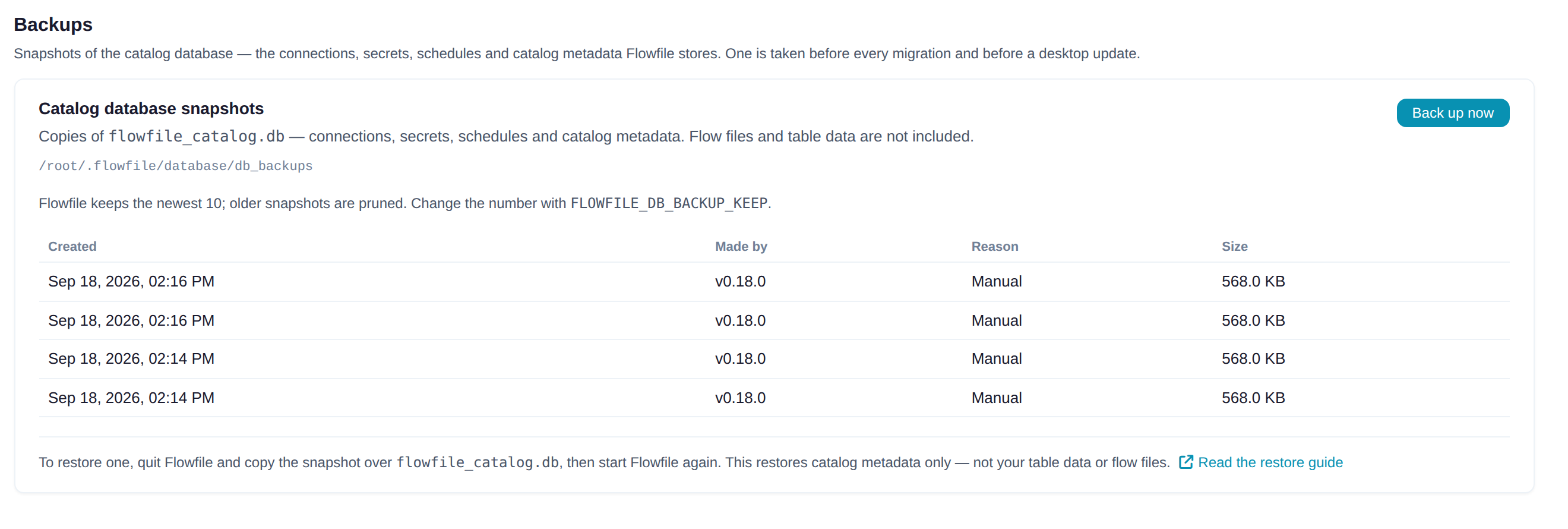
Database backups. The catalog database (connections, secrets, schedules, catalog metadata — not table data or flow files) is snapshotted before every schema migration and before a desktop update, through SQLite’s backup API so the copy is consistent while the app runs. Settings → Preferences → Backups lists them and has a Back up now button; the newest 10 are kept (FLOWFILE_DB_BACKUP_KEEP). Restore is a file copy with the app stopped.
Worker authentication. Core and the worker now authenticate each other with a shared internal token, and the worker binds to loopback by default.
Everything else
Denodo as a database connection type (read-only). SCD2 writes have an output — the rows received, only the changed rows, or the table’s current state after the write. Tab strip scrolls horizontally and follows the active tab. nd.FilePicker in the custom node SDK. Count Records in the browser editor. Telemetry, opt-in and off by default: flow runs and node types, never names, settings or data. Request a node from the Alteryx import report: an unsupported tool links to its open GitHub issue, or opens a new one.
Next: 0.18 — multiple formulas per node, 80% Alteryx coverage, PostgreSQL catalog.
Frequently asked questions
- When do I use a multi-field formula instead of a formula node?
- When the same expression applies to several columns. A formula node writes one output column; a multi-field formula runs one expression across every selected column in a single pass, overwriting in place or writing to new prefixed or suffixed columns.
- Can I back up the Flowfile catalog database manually?
- Yes. Settings → Preferences → Backups (admin only) has a Back up now button. Snapshots are also taken automatically before every schema migration and before a desktop update. The newest 10 are kept; restoring is a file copy with the app stopped.