

Unpack
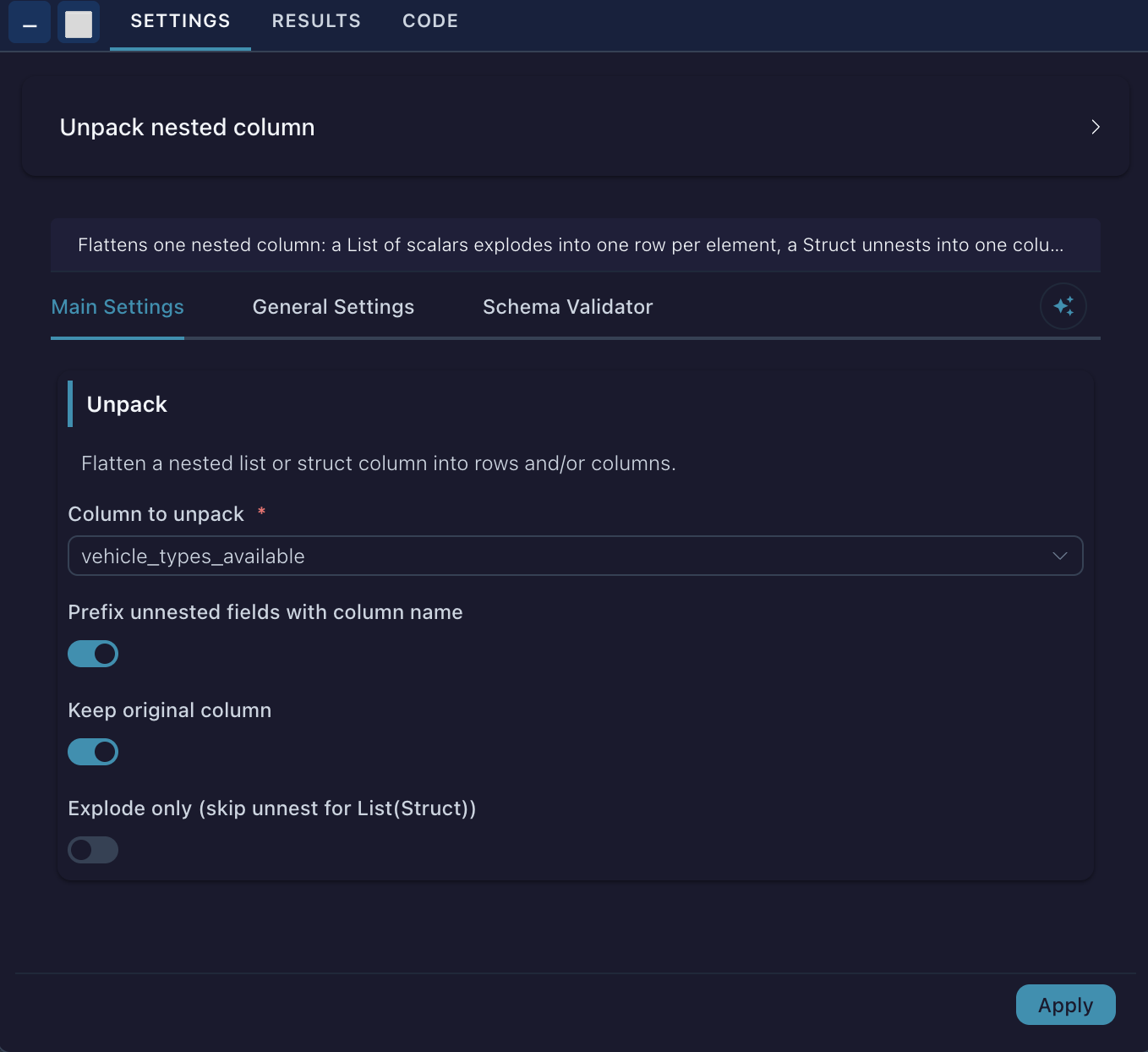
v0.1.0Flattens one nested column: a List of scalars explodes into one row per element, a Struct unnests into one column per field, and a List of Structs explodes and then unnests into one row per element with one column per field. Empty lists and nulls follow Polars' default explode semantics and yield a
Unpack
Flatten one nested column into plain rows and columns. Point it at a List, a Struct, or a
List(Struct) column and it picks the right operation:
| Column type | What happens | Rows | Columns |
|---|---|---|---|
List of scalars | Explode — one row per element | multiply | unchanged |
Struct | Unnest — one column per field | unchanged | add |
List(Struct) | Explode, then unnest — one row per element, one column per field | multiply | add |
Typical sources of nested columns are JSON files, REST API responses, and Delta or Parquet tables written by other systems. Unpack turns those into a flat table you can filter, join, and aggregate.
Inputs
| Port | Description |
|---|---|
input[0] | A table containing at least one nested (List or Struct) column. |
Settings
| Setting | Type | Default | Description |
|---|---|---|---|
| Column to unpack | column (complex) | — | The List, Struct, or List(Struct) column to flatten. (required) |
| Prefix unnested fields with column name | toggle | on | Name new columns <column>_<field> instead of just <field>, so unpacking several columns never collides. |
| Keep original column | toggle | off | Keep the nested column next to the unpacked fields instead of replacing it. |
| Explode only (skip unnest for List(Struct)) | toggle | off | For List(Struct), stop after the explode and leave one Struct per row. Useful when you want to unpack the struct in a later step, or only some of its fields. |
Output
The same table with the nested column replaced by (or, with Keep original column, followed by) its flattened contents. Unpacked columns land in the position of the source column, so the column order stays predictable. All other columns are untouched; on an explode their values are repeated for every emitted row.
Example
Bike-share station feed, one row per station, with a List(Struct) of vehicle counts:
station_id | num_docks_available | vehicle_types_available |
|---|---|---|
a | 10 | [{"vehicle_type_id": "1", "count": 3}, {"vehicle_type_id": "2", "count": 1}] |
b | 4 | [{"vehicle_type_id": "1", "count": 0}, {"vehicle_type_id": "2", "count": 2}] |
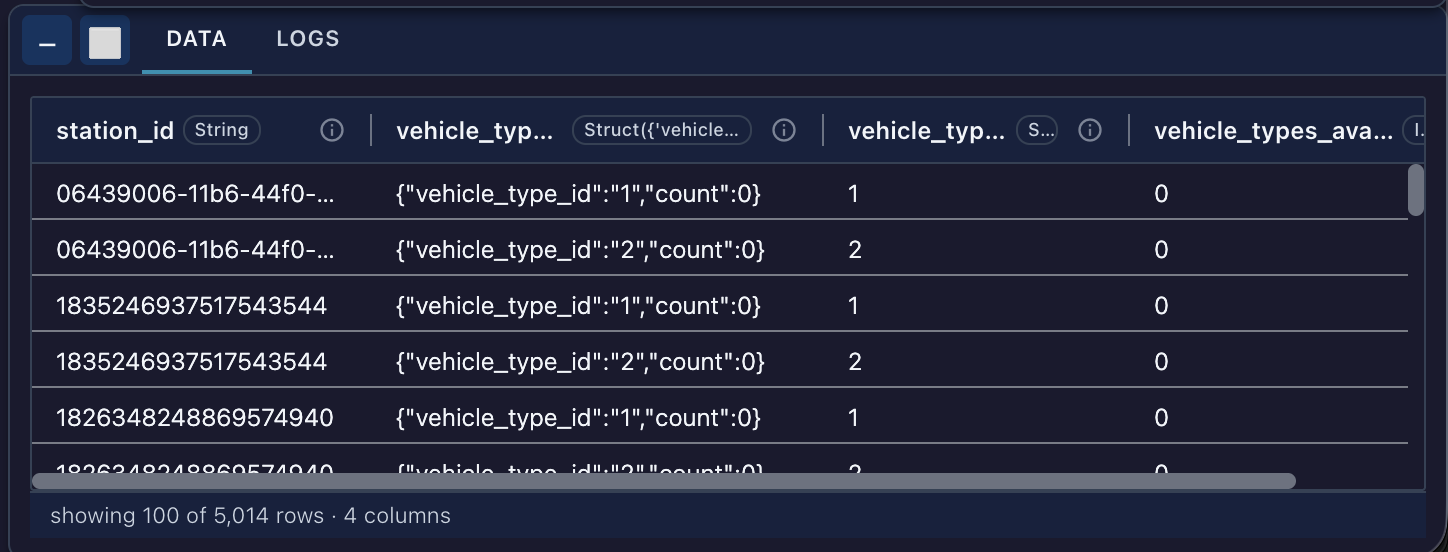
Unpack vehicle_types_available with the defaults (prefix on, keep original off):
station_id | num_docks_available | vehicle_types_available_vehicle_type_id | vehicle_types_available_count |
|---|---|---|---|
a | 10 | 1 | 3 |
a | 10 | 2 | 1 |
b | 4 | 1 | 0 |
b | 4 | 2 | 2 |
With Prefix off and Keep original column on, the struct stays and the fields keep their short names:
station_id | num_docks_available | vehicle_types_available | vehicle_type_id | count |
|---|---|---|---|---|
a | 10 | {"1", 3} | 1 | 3 |
a | 10 | {"2", 1} | 2 | 1 |
b | 4 | {"1", 0} | 1 | 0 |
b | 4 | {"2", 2} | 2 | 2 |
A plain Struct column such as address = {"city": "Utrecht", "zip": "3511"} becomes two columns,
address_city and address_zip, with no change in row count. A plain List column such as
tags = ["a", "b"] becomes two rows with tags = "a" and tags = "b".
Notes and edge cases
- Empty lists and nulls follow Polars’ explode semantics: they produce one row with a null rather than dropping the row. Add a Filter node afterwards if you want them gone.
- Name collisions are an error, not a silent overwrite. If an unpacked field would shadow an existing column, the node stops and tells you which names collide and which toggle to flip. Turning Prefix on resolves nearly every case.
- Deeper nesting is unpacked one level per node. For
List(Struct)whose fields are themselves structs or lists, chain a second Unpack on the field you need. - Non-nested columns are rejected with a clear error; the column selector only offers complex types to begin with.
- Runs locally in the worker on a lazy Polars frame. No kernel or Docker required, and nothing is materialised until downstream asks for it.
Metadata
- Category: Transform
- Version: 0.1.0
- Tags: explode, unnest, list, struct, json, flatten