

String Cleaner
v1.0.0Trim, collapse spaces, change case, and strip characters from selected string columns.
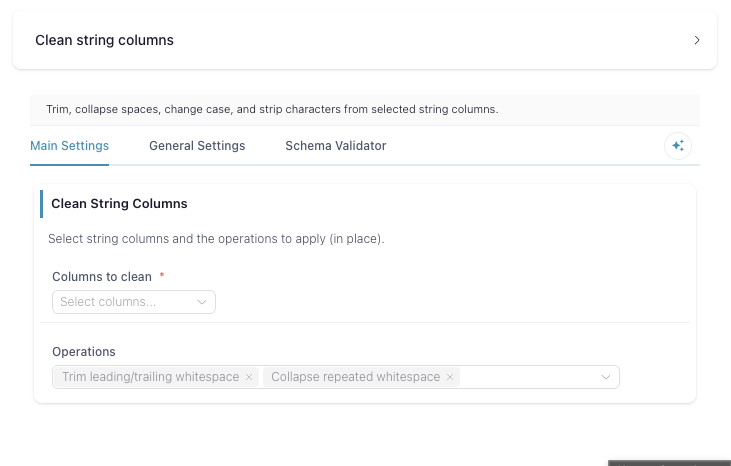
Clean Text
Apply a set of string-cleaning operations to one or more text columns, in place.
What it does
Pick the columns you want to clean and the operations to run. Every selected operation is applied to every selected column, and the result overwrites the original column — no new columns are added. Select no columns or no operations and the table passes through unchanged.
The operations always run in this fixed order, no matter the order you tick them:
- Remove punctuation — strips anything that isn’t a letter, digit,
underscore, or whitespace (
[^\w\s]). - Remove digits — strips
0–9. - Whitespace — either Remove all whitespace (drops every space, tab, and newline) or Collapse spaces (runs of whitespace become a single space). If both are selected, remove all wins.
- Trim — removes leading and trailing whitespace.
- Case — lowercase, UPPERCASE, or Title Case. If more than one is selected, the last in this list wins: Title Case > UPPERCASE > lowercase.
Because the steps chain in this order, they compose. For example, selecting
Remove punctuation + Collapse spaces + Trim + Title Case turns
" hello, WORLD!! " into "Hello World".
Inputs
A single table containing the text column(s) you want to clean. Point the Columns setting at string columns.
Settings
Columns — the columns to clean. Each chosen operation is applied to every one of these, overwriting it in place.
Operations — one or more of:
| Operation | Effect | " Hi, there! 42 " → |
|---|---|---|
| Remove punctuation | Removes non-word, non-space characters; keeps letters, digits, underscores, spaces | " Hi there 42 " |
| Remove digits | Removes 0–9 | " Hi, there! " |
| Remove all whitespace | Removes every space, tab, and newline | "Hi,there!42" |
| Collapse spaces | Collapses runs of whitespace to one space | " Hi, there! 42 " |
| Trim | Strips leading/trailing whitespace | "Hi, there! 42" |
| lowercase | Lowercases | " hi, there! 42 " |
| UPPERCASE | Uppercases | " HI, THERE! 42 " |
| Title Case | Title-cases each word | " Hi, There! 42 " |
Notes
- Operations overwrite the selected columns; there is no separate output column.
- The order you tick operations doesn’t matter — the pipeline order above is fixed.
- Remove all whitespace and Collapse spaces are mutually exclusive; if both are selected, remove all is applied and collapse is ignored.
- Selecting more than one case option resolves to the last applied (Title Case beats UPPERCASE beats lowercase).