
Community Nodes: build a node once, install it everywhere
Flowfile's palette now grows past what ships in the box. Build a node in the visual designer, publish it in one click, and anyone can install it.
There’s a k-means clustering node in Flowfile now. It didn’t come from a release. I built it inside the app — drew the settings form, wrote one process() function, tested it against sample data, hit publish. Flowfile opened the pull request for me; merging it put the node in everyone’s catalog, installable in one click.
That’s what Community Nodes are: a second way for the palette to grow. Flowfile ships with 40+ built-in nodes, and until now that was the ceiling — if the node you needed didn’t exist, you wrote a Python Script node and kept the snippet around. Now someone builds it once, and it’s a card in everyone’s catalog.
You build it inside the app
There’s no SDK to install and no repo to clone. The Node Designer is part of Flowfile — a Form tab where you drag typed controls together, a Code tab with the one function your node runs, and a Test tab that executes it against sample data:
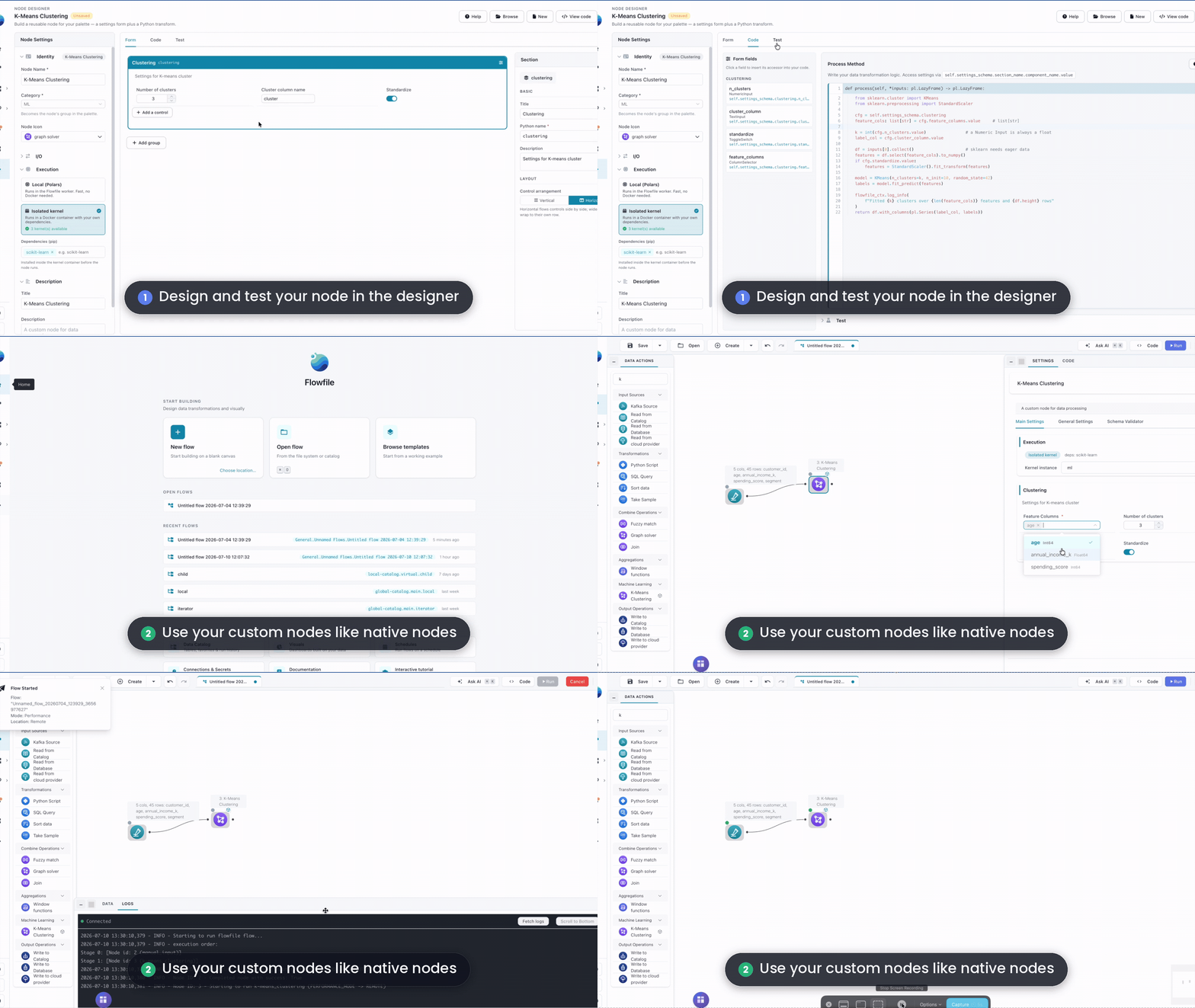
The whole node is one Python file. The settings you draw become the form other people fill in after they install it — here’s the k-means node’s, four controls in a group:
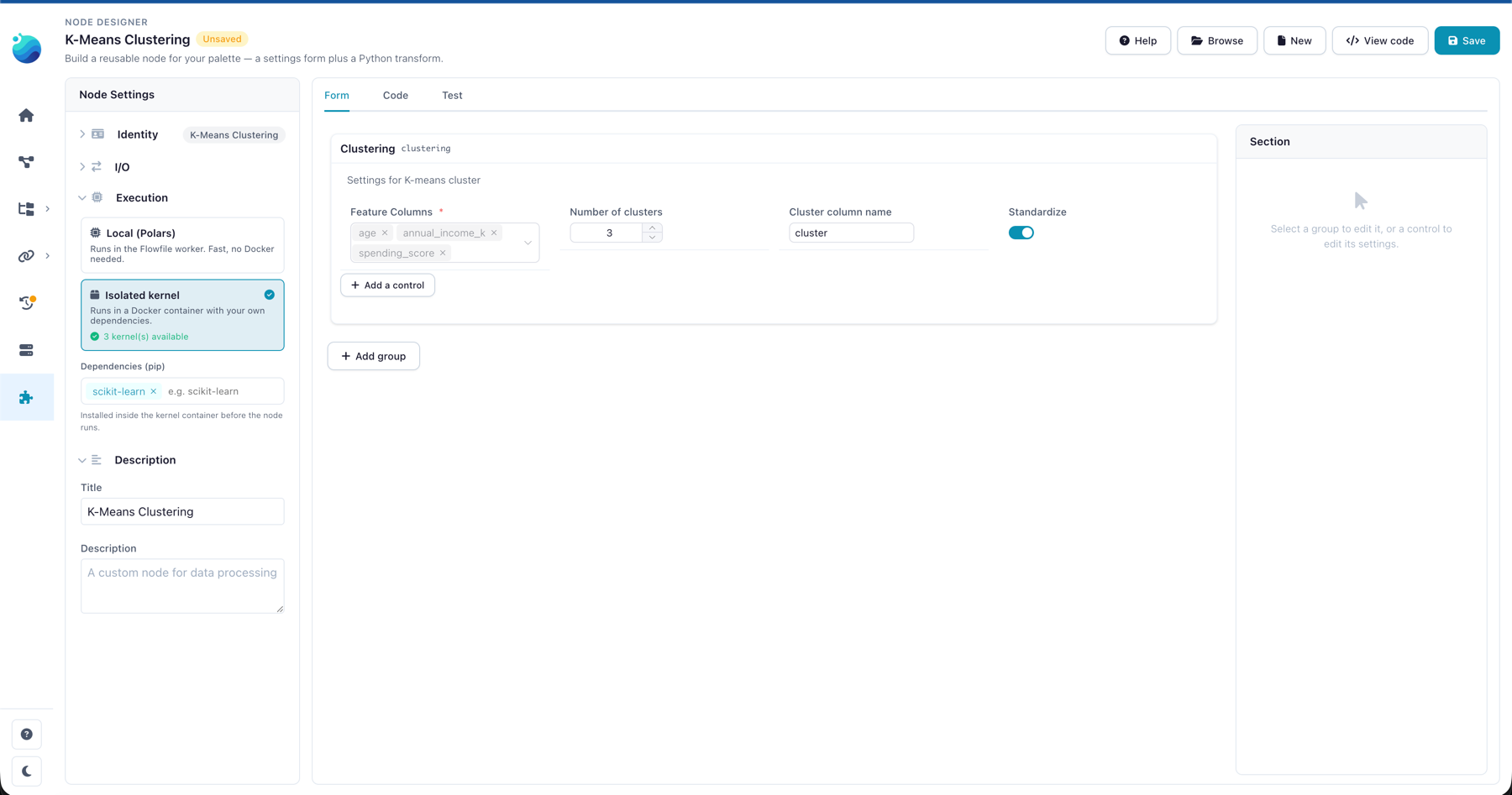
The Node Designer guide walks through building one step by step. If you can write a function that takes a dataframe and returns one, you can build a node.
Any library can become a node
The part that opens the most doors: a node can declare pip dependencies and run in an isolated Docker kernel. The k-means node declares scikit-learn and gets it inside its own container — nothing is installed into your Python environment, and whoever installs the node never touches pip at all. They drag it onto the canvas and get clusters:
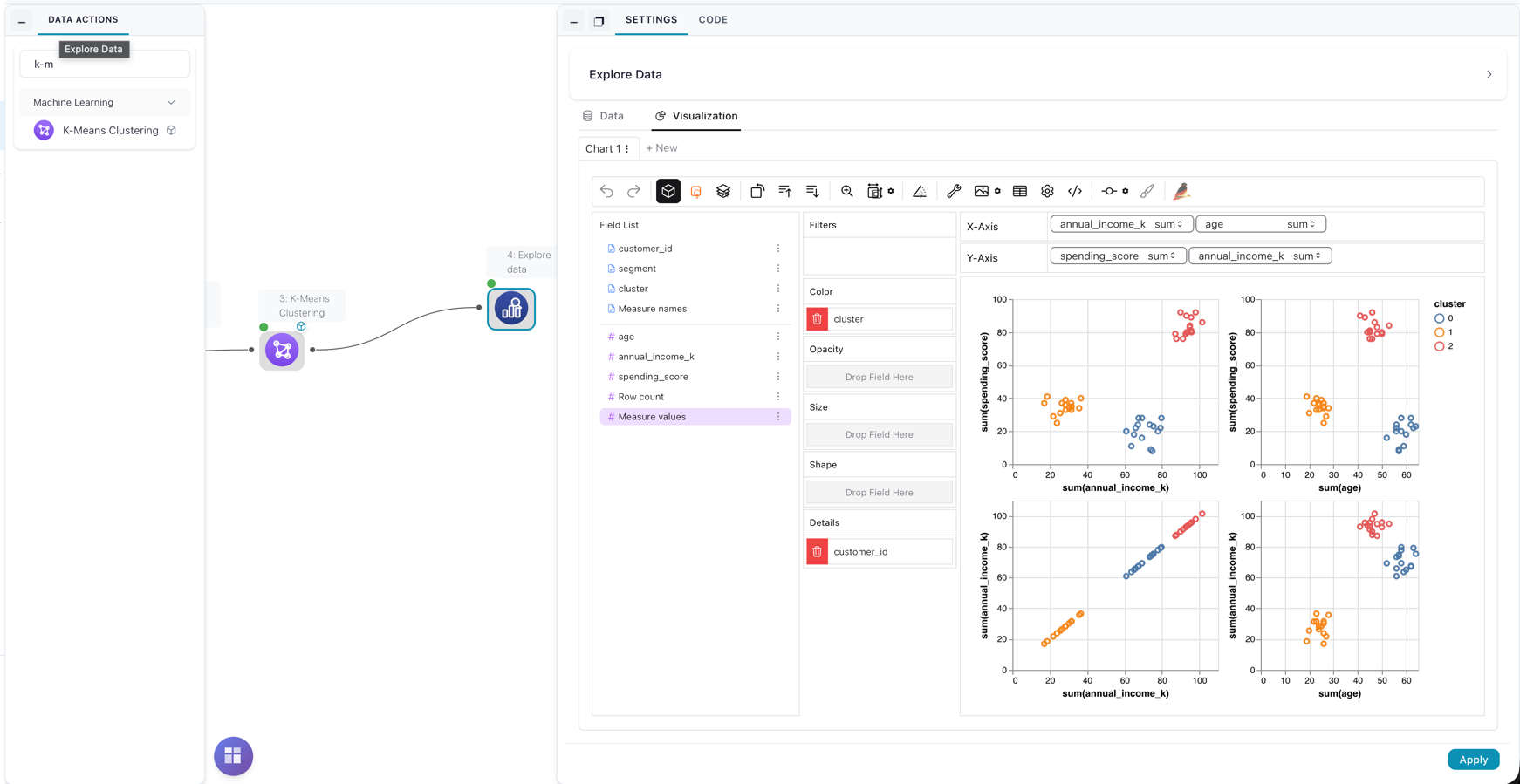
That pattern generalizes to most of PyPI. A geocoding node. A forecasting node. A client for that one API your team calls from every project. The person who knows the library well builds the node once; everyone after them gets a form and an output table.
Simple nodes don’t need any of that. String Cleaner — trim, collapse spaces, change case — runs locally as plain Polars, one file, no installs. And the registry has room for less serious work too: there’s a node that maps numbers to mood emojis. I won’t defend it, but it works.
Sharing it is the easy part
Publishing doesn’t ask you to leave the app. Hit Publish, connect GitHub once, and Flowfile opens the pull request for you — no local git, no packaging. CI runs your node against the test setup you saved, a maintainer reads the code, and the merge puts it in every catalog.
Installing is the same one click in reverse: Catalog → Community Nodes, pick a card, and a consent dialog shows who wrote it, where the source lives, and what the code is allowed to do before anything lands in your palette. Every file is verified against its pinned hash. Nodes are reviewed and pinned, but not sandboxed — a local node runs with the same access your own code has, so the source being one click away is part of the design. Read it. The contributing guide has the full publishing contract if you want the details.
What’s there today
Three nodes, all mine, published while proving the loop end to end — browse them here. The more interesting part is the empty shelf space: the registry has categories waiting for Geospatial, Connectors, Date & Time, Cleaning nodes that don’t exist yet. Since writing this, Geospatial has seven nodes: spatial join, buffer, distance, map file readers and a map preview.
Community nodes landed in Flowfile 0.13.1 — you’ll want that version or later, via the desktop app, Docker, or pip install flowfile. They’re not in the browser demo, which runs a smaller node set with no server. If there’s a transformation you keep rebuilding in every project, the Node Designer plus one pull request is the distance between it and everyone else’s palette.
Frequently asked questions
- Are community nodes safe to install?
- Every node is scanned for what its code can do (network, filesystem, subprocess, secrets), human-reviewed before it's published, and pinned by sha256 — your own Flowfile install re-verifies the files on download. But nodes are not sandboxed: a local node runs with the same access your own code has. The consent dialog shows the author, the source, and the capability flags; reading the source before installing is part of the model.
- Can I use community nodes in the Flowfile browser demo?
- No. The browser demo at demo.flowfile.org is a client-side build with no server and a smaller node set. Community nodes need the full build — Flowfile 0.13.1 or later via the desktop app, Docker, or pip install flowfile.
- How do I publish my own node?
- Build it in the Node Designer with a saved test setup, then publish from inside the app — Flowfile forks the registry, commits your node folder, and opens the pull request for you; no local git needed. CI runs your node against your test setup, a maintainer reads the code, and merging publishes it.