
Three Releases In, Flowfile Stopped Being a Pipeline Tool
v0.7 added a catalog. v0.8 moved storage to Delta. v0.9 closed the loop with virtual tables and a SQL editor. Looking back, the catalog quietly became the thing the rest of Flowfile hangs off of.
TL;DR. Three releases in three months: v0.7 introduced the catalog and artifacts, v0.8 moved storage to Delta and added flow parameters, v0.9 added virtual tables, a SQL editor, run history, and table-driven scheduling. Read in isolation each one looks like a normal release. Read together, they trace the catalog quietly turning from a sidecar into the thing the rest of Flowfile depends on.
What I thought I was building
When I started Flowfile I thought I was building a visual layer over Polars. Drag a node, write some pipeline logic, run the flow, get a file out. The Polars API on one side, the canvas on the other, both editing the same Pydantic settings. That was the whole product for a long time.
Catalog wasn’t on the roadmap. Scheduling wasn’t on the roadmap. SQL definitely wasn’t on the roadmap. The end of a flow was a file, and where that file went was the user’s problem.
It took three releases to realise the file was the thing holding everything else back.
v0.7 — A name instead of a path
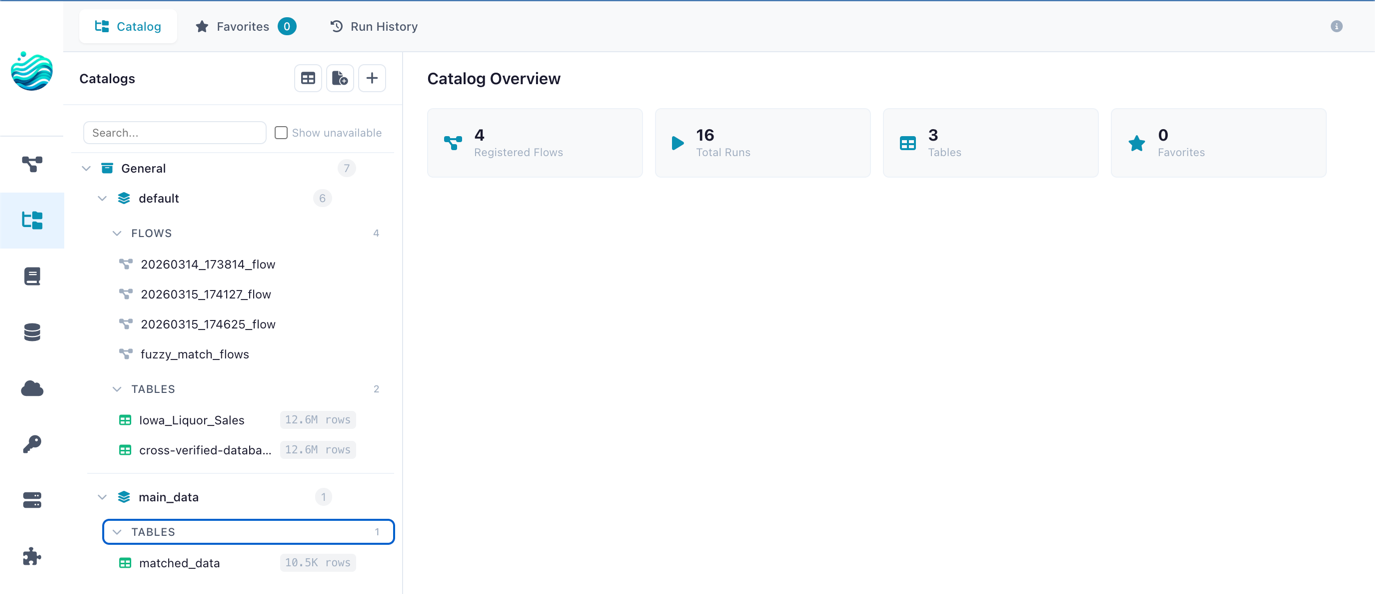
The first version of the catalog was modest. A Catalog Writer node that put a Polars frame into a managed Parquet file under ~/.flowfile/, and a Catalog Reader node that read it back. A small SQLite database tracking the registrations. Artifacts (run outputs, intermediate states) lived alongside.
What this fixed was small in code and large in feel. Until v0.7, a flow’s output was a file path, which meant every downstream consumer needed to know that path. Move the file, edit every flow that referenced it. v0.7 replaced the path with a name. sales.monthly_orders was the name of the table; the file underneath was Flowfile’s job, not yours.
I expected this to be a quality-of-life improvement. A few users would like it; most would keep using direct file I/O. What actually happened is that almost everyone who tried the catalog stopped writing to bare files for anything other than final exports. The thing being named wasn’t the file — it was the work. Once a transformation has a name, the next person to need that transformation looks for it by name. That’s a different kind of reuse than copying a flow file.
The architecture wasn’t ready for what came next, though. The artifacts were stored as Parquet, and Parquet alone has no transaction log. Two flows writing to the same table at the same time would race. There was no version history. “What did this table look like last Tuesday?” wasn’t a question the catalog could answer.
v0.8 — Delta underneath, parameters on top
v0.8 looked like a maintenance release. Storage moved from raw Parquet to Delta Lake. Flow parameters — variables a flow could be invoked with — got first-class support. Both changes felt like infrastructure at the time. Both turned out to be load-bearing.
Delta gave every catalog table a transaction log: a small JSON file in _delta_log/ that records every write as a discrete commit. From the outside it looks identical to the Parquet folder it replaced. From inside Flowfile, suddenly there’s a clean answer to “did this table change?” — read the log, compare to last seen.
That single bit of metadata is what made everything in v0.9 possible. Without a commit log, “the table updated” is a guess based on file mtimes. With it, it’s a well-defined event. The scheduler that arrived later in v0.9 doesn’t poll filesystems; it polls a counter.
Parameters did the equivalent at the flow boundary. A flow with a start_date parameter is a different object than a flow with start_date hardcoded — the first can be invoked many ways from many places, the second has to be edited and saved every time. Once parameters existed, the same flow could be a backfill on Monday, a daily run on Tuesday, and a one-off investigation on Wednesday. The flow stopped being a fixed unit of work and became a function.
I didn’t sell either change as a big deal in the release notes. They didn’t feel like one. They were the floor that v0.9 had to stand on.
v0.9 — Closing the loop
v0.9 is the release that made the previous two make sense. Three things shipped together:
Virtual flow tables. A catalog entry that doesn’t have a stored copy. The entry points at a producer flow; reads either replay a captured Polars LazyFrame (when the upstream is lazy-safe) or re-run the flow on demand. Filters and projections push down across the flow boundary because the LazyFrame is honest about what it’s going to do. The full mechanism is in the virtual flow tables post — what matters here is that the catalog stopped being a place where finished tables lived. It became a place where transformations lived, and the difference between a stored result and a recomputed one became an implementation detail.
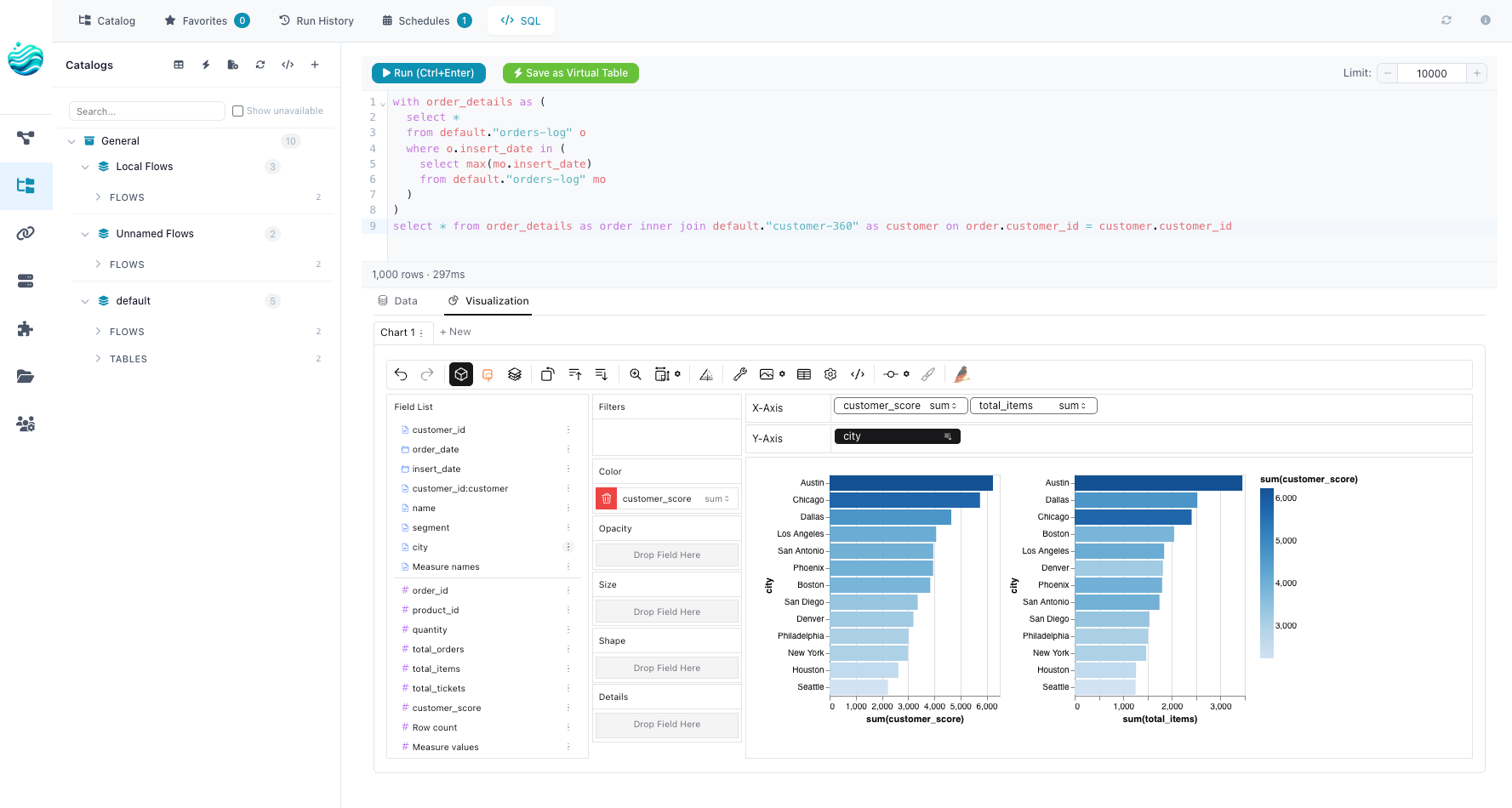
SQL editor over every catalog table. Polars has a SQLContext. v0.9 wired it to the catalog: any registered table is queryable in a SQL editor pane, results stream into a Graphic Walker view, and any query can be saved as a reusable visualization — a Graphic Walker chart spec that re-runs the SQL each time it’s opened. The catalog stops being only a place where finished tables live and becomes the place you also explore them from.
Reactive scheduling. Three schedule types shipped: interval (cron-like), table_trigger (fire when a specific table updates), and table_set_trigger (fire when any of a set of tables update). The triggers point at the same catalog_tables rows the lineage graph already had — same IDs, same upserts. There’s no parallel definition. The whole story is in Your Lineage Graph Should Run Your Pipelines. The short version: the graph and the scheduler share a database, so they can’t drift.
Run history showed up alongside, which sounds boring. It’s the thing that makes everything else investigatable. Every run — interval, manual, triggered — leaves a row in the catalog with its inputs, outputs, status, and duration. The catalog isn’t only the lineage graph anymore; it’s also the audit log.
The shape that emerged
If you’d asked me in v0.6 what the catalog was for, I would have said it’s a place to put files so you don’t lose them. That was true. It was also a small fraction of what it became.
By v0.9 the catalog is doing four jobs:
- Naming — a stable identity for every table, independent of where the bytes live.
- Versioning — Delta underneath, so “the table updated” is a real event with a timestamp.
- Lineage — read and write links populated by the same nodes that touch the data, no separate emitter.
- Scheduling — triggers that point at table IDs, firing when those tables update.
None of these jobs is unusual on its own. Snowflake has all four. So does Databricks. The unusual thing is doing them in a single-machine tool that you pip install and that ships its own UI. The catalog isn’t a service; it’s a SQLite database next to your flows. Delta isn’t a managed warehouse; it’s a folder of Parquet files on your laptop. The scheduler isn’t Airflow; it’s a polling loop in flowfile_core. Each piece is small. Together, they cover most of what an analytics workload needs.
What’s still single-machine
Saying any of this without naming the limit would be cheating. Flowfile still runs Polars in-process. The catalog scales to whatever fits on your disk. The scheduler is one polling loop, not a distributed coordinator. There’s no replication, no high availability, no cross-machine sharding.
That isn’t a roadmap omission. It’s the trade I keep making on purpose. A laptop with a fast SSD and 64 GB of RAM is a serious data tool now, and the things you can’t do at that size are usually not the things people are actually trying to do. When they are, export the code and run it on Spark. The flow file isn’t the destination. It’s where the thinking happened.
What I’d tell someone reading the changelog
A pipeline isn’t the end of the work anymore. It’s the beginning of an analytics surface — a catalog table that other flows can react to, that the SQL editor can query, that the scheduler can fire on. The release notes for v0.7, v0.8, and v0.9 each look like an addition. They’re more accurately a re-framing: the file was the wrong unit.
Three years from now I expect the next re-framing will be about something I haven’t noticed yet. That’s how this has gone so far.
Related reads: Virtual Flow Tables for the v0.9 mechanism in detail, Your Lineage Graph Should Run Your Pipelines for how scheduling collapsed into the catalog, and Demystifying Delta Lake for the storage layer that made it all possible.
Frequently asked questions
- Is Flowfile still a visual ETL tool?
- Yes — the canvas, the Polars-compatible Python API, and the code export all still work the way they always did. What changed is what you can do with the output of a flow. Before v0.7, a flow ended in a file. Now it ends in a catalog table that other flows, the SQL editor, and the scheduler can all see.
- Do I have to use the catalog?
- No. You can still drop a Write Parquet node and walk away. The catalog is opt-in per node — Catalog Reader and Catalog Writer are the two nodes that participate in it. Everything else stays exactly as it was.
- What's a virtual flow table again?
- A catalog entry that points at a flow rather than at a stored file. When something reads it, Flowfile either replays a saved Polars LazyFrame or re-runs the producer flow. Filters and projections push down across the flow boundary when the plan is lazy-safe. Details in the virtual flow tables post.
- How big a deal is the move to Delta in v0.8?
- Big in retrospect, quiet at the time. Delta gives every catalog table a transaction log, which is what makes 'the table updated' a well-defined event. Without that, the table-trigger schedules in v0.9 wouldn't have a clean signal to fire on. The shape of the storage layer set the limit on what the scheduler could become.
- Is single-machine still the limit?
- Yes. None of these releases changed the basic architecture — Polars in-process, one machine. Flowfile is still the workshop, not the factory floor. The catalog scales as far as the disk you put it on.