
If you're building an AI agent, scope it before you scale it
The first move when adding an AI agent isn't picking a bigger model — it's scoping the action space and the feedback. Which is the exact work of designing a good UI.
When someone decides to put an AI agent in their product, the first instinct is almost always to pick a model. A bigger one will reason better, the thinking goes, so the quality of the agent is mostly a procurement decision. Scale up and the agent gets good.
I think that’s the wrong first move, and I think it’s wrong in a way that’s worth being precise about. The hard part of an agent isn’t the model. It’s the space you let the model act in. Hand a very capable model an unbounded action space and you get a very capable source of confident mistakes. The model isn’t the constraint. The lack of one is.
So before I’d reach for a model, I’d do the boring thing: scope it. Look at the actual use cases, and from those, work out what the agent is allowed to do.
Scoping an agent is three jobs
When you sit with it, “scope the agent” decomposes into three concrete pieces of work.
Bound the actions. Decide the finite set of things the agent can do. Not “write code that does anything” — a real list. Read this kind of source, apply these transformations, join, aggregate, write here. A bounded list is a list you can reason about, test, and recover from. An unbounded one is a list you can only hope about.
Type the interfaces. Each action needs a defined shape — what it takes, what it returns. A model filling in typed parameters is a much smaller, more checkable problem than a model emitting free text and you praying it parses. You can validate a typed call before you run it. You can’t validate a vibe.
Wire the feedback. The agent has to find out whether what it just did worked. And not “here’s the entire program state” — that’s noise. It needs feedback scoped to the action it just took, so it can tell which step broke and fix that one. Cause and effect, isolated.
None of this is glamorous and none of it is about the model. It’s interface design. You’re deciding what the agent can touch, in what shape, with what response.
A good UI already did all three
Here’s the part I didn’t see coming until I was halfway into building it.
I added an agent to Flowfile earlier this year — describe a transformation in plain English, it builds the pipeline on the canvas, node by node. And when I went to define the agent’s tools, I realized I’d already defined them. Years ago. They were the nodes.
A UI is a curated, finite set of actions. Every button, every node, every panel is someone having already decided “this is a thing a user can do here, these are its inputs, this is what happens when you do it.” That’s not adjacent to scoping an agent. It is scoping an agent. The action space, bounded. The interfaces, typed. Done — as a side effect of building the product.
In Flowfile this is almost embarrassingly literal. The agent has a mode that hands the model the full tool catalog in one shot, and that catalog is the node palette. The forty-odd nodes a human drags onto the canvas are the exact tools the model picks from. There’s no separate “agent API” I had to design and keep in sync with the UI. The tools are the UI. The settings each node already validated through its schema are the typed interfaces the model fills in. I didn’t build an agent harness. I’d built one in 2023 and called it a visual editor.
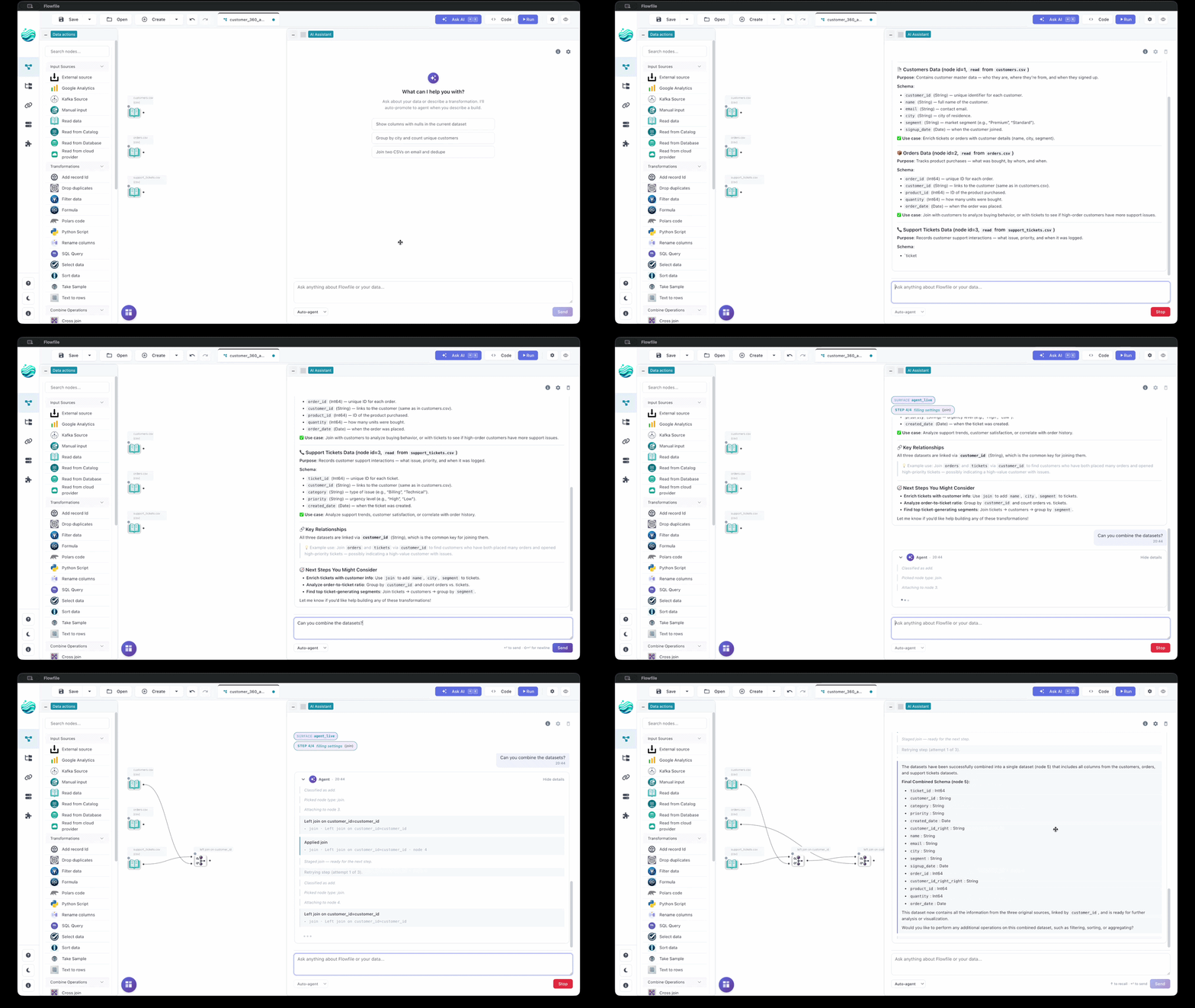
That reframes what a UI is for in a world with agents. The story everyone tells is that visual tools are training wheels — fine for people who can’t code, destined to be replaced once the model writes the code itself. I think it’s closer to the opposite. The discipline of building a good UI — sit with the use cases, bound the actions, give each one a shape and immediate feedback — is the same discipline as building a good agent. If you’ve already done one well, you’ve mostly done the other.
Why “scoped” is the word doing the work
The third job — feedback — is where the UI quietly earns the most.
A UI gives you feedback localized to the thing you just did. You add a node, you see that node’s output: its schema, a preview of the rows. Not a wall of global state — the result of this one action, right next to the action. Anyone who’s debugged a pipeline knows why that matters for humans. It’s the same reason it matters for a model.
Flowfile’s default agent mode applies one step at a time, runs the part of the graph that step affects, and feeds that observation back to the model before the next step. If the step fails, it’s auto-undone. So the model isn’t reasoning about a transformation in the abstract; it’s looking at what the data actually did when it tried. The predicted schema after the step it just took. The error, if there was one, scoped to the node that threw it.
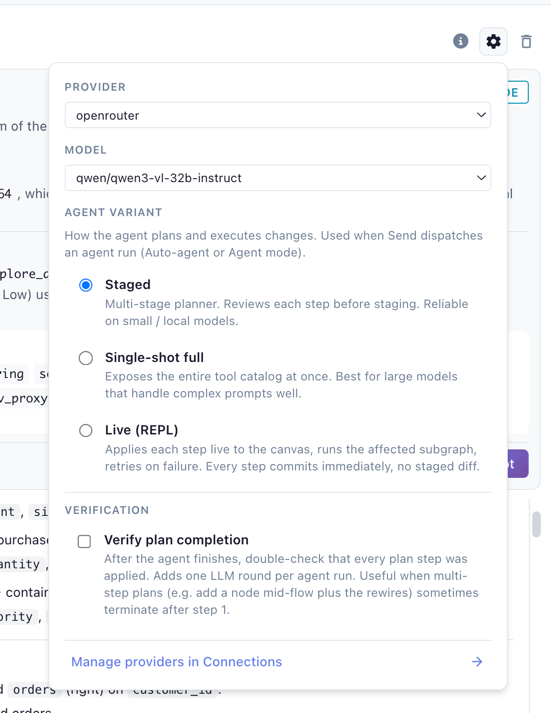
That’s the same signal a person gets clicking through the canvas. The instrumentation I built so a human could see their data at every step turns out to be exactly the grounding an agent needs to correct itself. I didn’t add observability for the agent. The UI had it, because UIs have it.
Where this stops being true
I’d rather state the edges than let you find them.
A bounded action space is also a ceiling. The agent can only do what the catalog has. The moment a job needs something off the menu, a clean tool list becomes a cage — and this is the real cost of the whole approach, not a footnote. The way out is an escape hatch: Flowfile has code nodes where arbitrary Polars or Python lives, so when the menu runs out, you drop to code. Which buys back the power and immediately surfaces the tension — the code node is the one place anything can happen, which makes it the one place I least want the agent acting unsupervised.
So the escape hatch the agent gets is the narrow one. It can write a Polars-expression node, but that node is fenced: no imports, no network calls unless I allow them, every line validated before it runs.
# polars_code — the one code node the agent can author.
# input_df is the upstream; you assign output_df; pl is already
# in scope, and writing `import` gets refused.
output_df = input_df.with_columns(
    (pl.col("revenue") - pl.col("cost")).alias("margin")
)
The wide-open node — the one that runs arbitrary Python in a kernel — is on a blocklist the agent can’t touch, sitting right next to every node that writes out to a file, a database, a cloud bucket, or the catalog. The agent can compute almost anything in-process; it just can’t import, can’t phone home, and can’t persist to a sink I didn’t wire myself. Bounded by default, a fenced code node when it needs one, the genuinely dangerous surfaces held back — that’s the part I trust the agent in.
The feedback isn’t free either. Running each step to observe it costs time and compute, and on large data that loop gets slow. That’s the honest reason the step-at-a-time mode isn’t the only mode — there’s also a batched variant that stages all its edits into a single diff you accept or reject at once. Different point on the speed-versus-grounding curve. You pick.
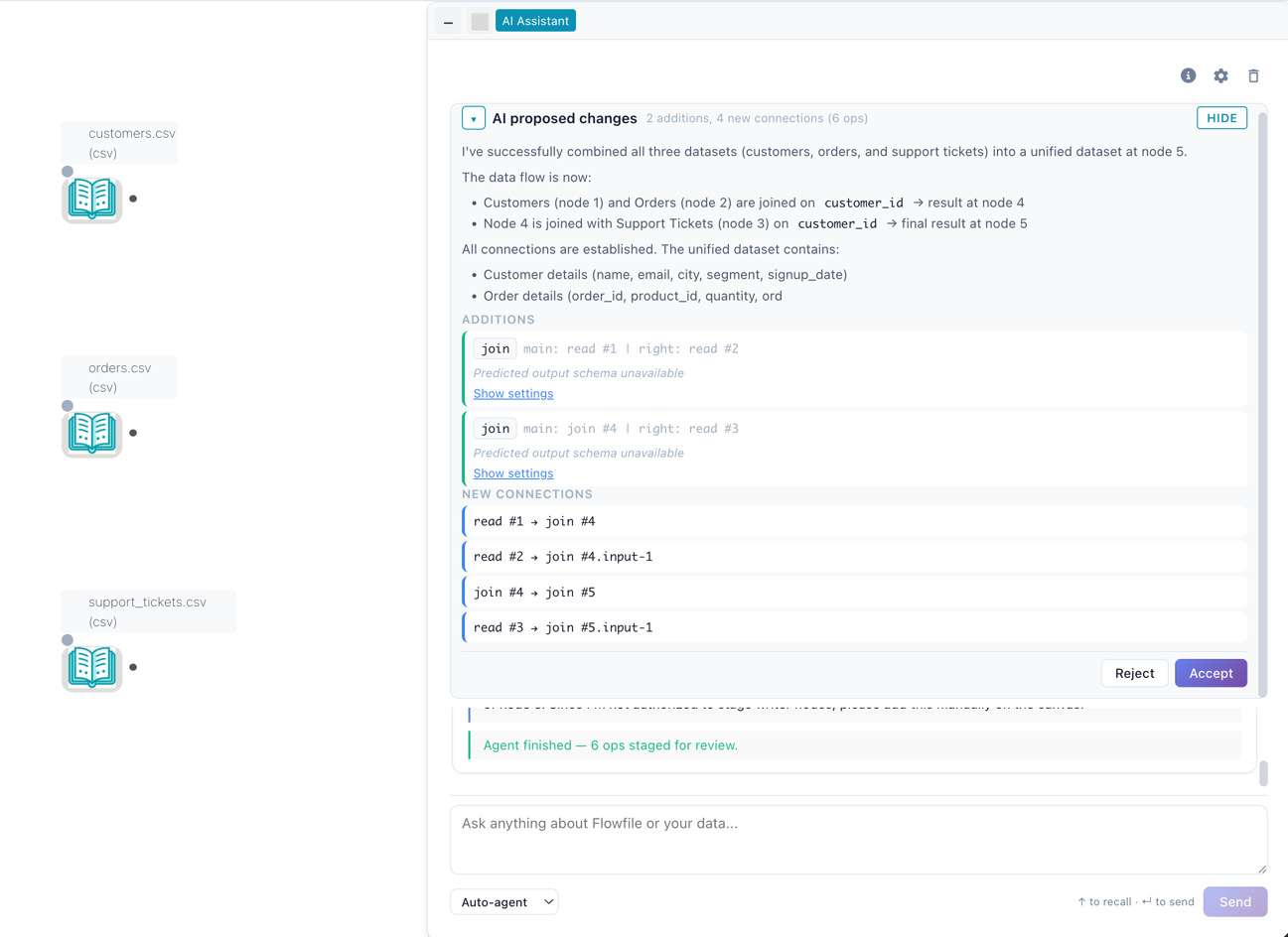
And none of this is unique to visual UIs. A well-designed tool catalog over function calling, an MCP server, a tight DSL — they’re all the same principle: bound the actions, type them, observe the results. A visual node graph is one instantiation. What it happens to give you on top is that the same artifact is human-inspectable and, in Flowfile’s case, exports to plain Polars you can run without the tool at all. The agent-friendly structure and the door out are the same structure.
The convergence
So I’ve stopped thinking of the agent as a thing I bolted onto a UI, and the UI as a thing the agent will eventually make obsolete. They’re converging on one problem from two directions. Designing a good agent and designing a good UI are both: figure out what should be possible here, give each possibility a clear shape, and show what happened when someone — or something — chose it.
If you’re about to build an agent, that’s where I’d start. Not with which model. With your use cases, your action list, and your feedback. Write down the things the agent can do and the shape of each one. If that exercise feels familiar, it’s because you’ve done it before, every time you designed a screen.
The model is the easy part. You can swap it out next quarter. The action space is the product.
Flowfile is MIT-licensed, self-hosted, no telemetry; the AI surfaces stay dormant until you bring your own key (several providers, including a local Ollama server for air-gapped use). Try it in the browser at demo.flowfile.org, pip install flowfile, or read the code at github.com/Edwardvaneechoud/Flowfile.
Related reads: Your UI is already your agent’s API for the hands-on version — the actual node code an agent reads as a tool, Flowfile Goes AI for the release these agent internals come from, Tools That Teach Get More Important in an AI World, Not Less for the philosophical sibling, and Why Flowfile Is the Way It Is for the “features fall out of the architecture” thesis applied to the rest of the platform.