
Flowfile vs KNIME in 2026: A Practical Comparison
KNIME has the largest node library in open-source visual ETL. Flowfile is younger, leaner, and Polars-native. An honest side-by-side for analysts choosing between them.
TL;DR. KNIME and Flowfile are both visual ETL tools you can install on a laptop, both free, both able to handle the kinds of pipelines analysts build all day. KNIME is older, broader, and feature-saturated — over 4,000 nodes, twenty years of community work, every niche covered. Flowfile is younger, narrower, faster on heavy data, and shaped around a code-export story — the flow you build visually is also a Polars script. Pick KNIME for breadth and ML/stats coverage; pick Flowfile for a modern Polars-native engine and a Python escape hatch.
Why this comparison exists
KNIME has been the default open-source answer to “what’s like Alteryx but free” for so long that it almost stopped being a question. Twenty years of releases, an enormous extension ecosystem, a community of analysts in chemistry, life sciences, finance, marketing — all running KNIME locally without a credit card.
Flowfile is a much younger project. It came out of one developer’s attempt to build an Alteryx alternative from scratch — planned as a one-month project, usable after eleven. The two tools share a shape — drag nodes, connect them, run the flow — and have very different priorities underneath. This post is the honest comparison from someone who builds one of them and respects the other.
What KNIME is, in one paragraph
KNIME Analytics Platform is a JVM-based visual analytics tool, GPLv3, first released in 2006. The canvas is mature and familiar to anyone who’s used Eclipse-based IDEs. The killer feature is the node library — over 4,000 nodes covering data prep, statistics, machine learning, deep learning, text mining, image analysis, chemistry, and on. Nearly anything you can imagine doing with structured data has a KNIME node.
The execution model is one row at a time, with extensions for columnar processing where speed matters. KNIME Business Hub (paid) handles scheduling, collaboration, and server execution. The Analytics Platform alone runs locally on a laptop and is the core open-source product.
What Flowfile is, in one paragraph
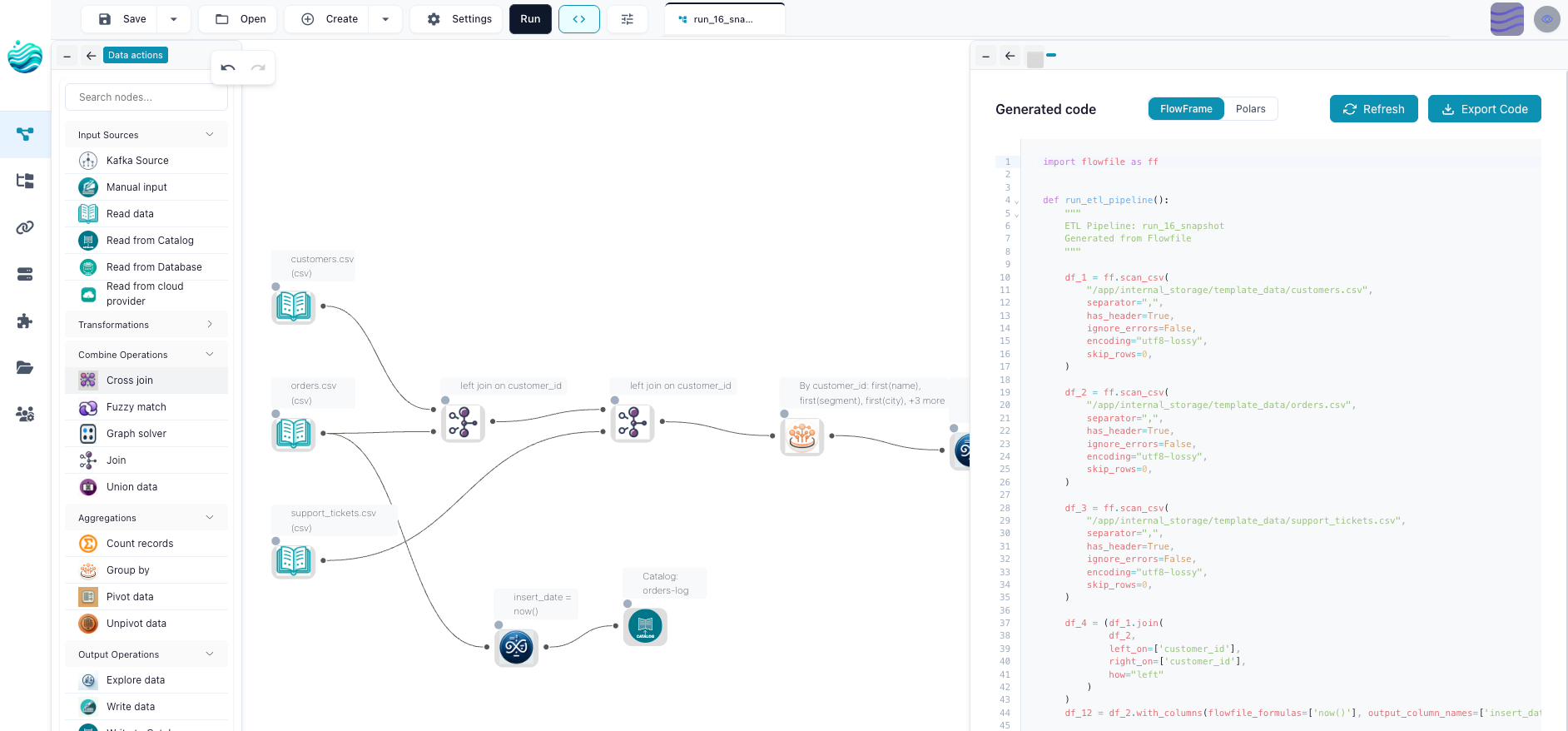
Flowfile is a visual ETL tool and Polars-compatible Python API, MIT-licensed, first released in 2024. The canvas is Vue 3 + VueFlow with live schema preview at every node. The engine is Polars all the way down — the transform and file-I/O nodes compile to Polars expressions, flows run lazily by default, and that transform core can be exported as a standalone Polars script with no Flowfile dependency. There are around 30 node types out of the box plus a Python script node and a SQL node for the long tail.
Flowfile’s catalog uses Delta Lake on top of Parquet for versioned, lineage-tracked tables. Scheduling, run history, and table-update triggers are in the MIT core, along with everything else in this comparison. It’s also a single-machine tool — Polars streams through more than fits in RAM, but this is a workshop, not a Spark cluster.
The four practical differences
Engine: JVM vs Polars
KNIME is JVM-based. Most nodes process data row-by-row through a streaming model, with vectorised paths in specific extensions. The tool is fast enough for most analyst work, especially with the columnar backend, but it isn’t designed around the modern columnar-Arrow story.
Flowfile runs entirely on Polars, which is Rust-written, Arrow-native, multi-threaded by default, and faster than the JVM on most analytics shapes. Group-by aggregations, joins on millions of rows, scans over Parquet folders — these are the workloads where Polars and Flowfile pull ahead. On a laptop, the difference is measurable: queries that take 30 seconds in KNIME often run in 3 in Flowfile.
This isn’t a knock on KNIME. The engine choice was made when JVM-based was the right call for the ecosystem KNIME wanted to live in. It’s a different decision for a different time.
Node library: 4000+ vs ~30 + Python
KNIME’s node library is the deepest in open-source visual ETL. If you need a Welch’s t-test node, a SMILES-to-fingerprint node, a Bayesian network node, or a FASTA reader node, KNIME has it. The breadth comes from the community — twenty years of academics and analysts publishing extensions covering domains the core team would never have shipped alone.
Flowfile’s library is narrow on purpose. The 30-ish core nodes cover the operations that show up in 90% of analytics pipelines: read, filter, join (including fuzzy), group-by, pivot, sort, dedup, formula, write. For everything else, the Python script node and the SQL node are the escape hatches. The bet is that a smaller, sharper toolkit plus a real code escape is more useful than a wide library that’s slower to ship updates.
This is the cleanest place where the two tools diverge. KNIME says we have a node for that. Flowfile says here’s the script node, and the script you write is Polars you’d write anyway.
Code escape hatch: Python and R nodes vs full code-gen
Both tools let you drop into code. KNIME has Python and R nodes — write a script that consumes the input frame and emits an output frame. The script is real Python or R, and you can install whatever packages you want into the environment.
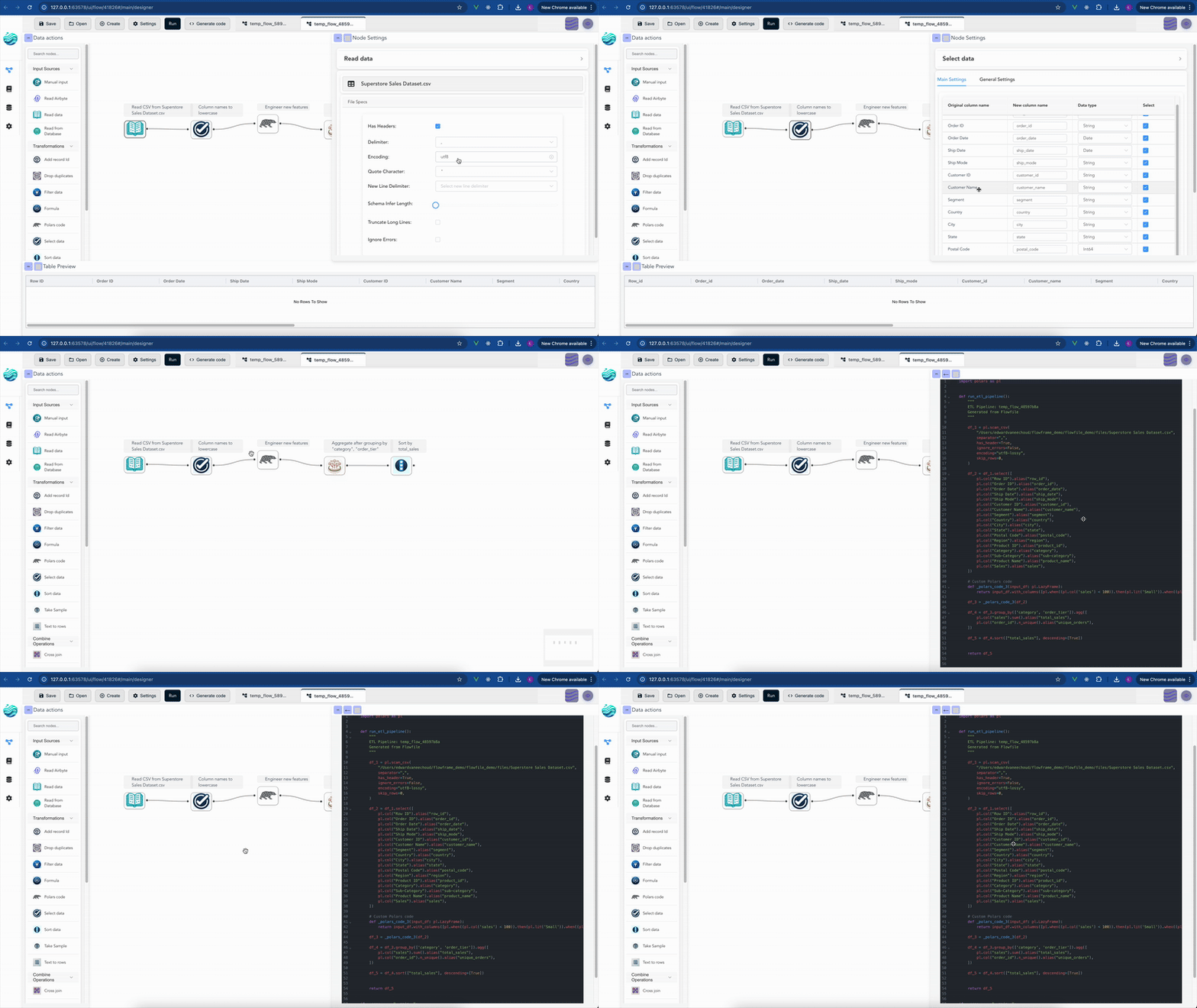
Flowfile has the same Python script node and a SQL node, plus something KNIME doesn’t have: a flow’s transform and file-I/O core can be exported as a standalone Polars script. The code generator walks the graph and emits real Python code that runs anywhere Polars runs, with no Flowfile import. (Database and REST steps export too, but their generated calls still need the flowfile package; nodes like the catalog, cloud-storage, and ML steps export as FlowFrame code instead.) The bet is that the visual layer should be a lens, not a cage: you build something visually, and you can always read what it became in code.
For analysts who never want to leave the canvas, the difference doesn’t matter. For anyone who eventually wants their pipeline to live in a deployment system, in a CI job, or just in a Python file they understand, the export changes the game.
Scheduling and run history: Hub vs built-in
KNIME’s serious scheduling and team-collaboration features live in KNIME Business Hub, which is paid. The Analytics Platform on its own can run flows manually or via the command line, but reactive scheduling — “run when this table updates” — needs the Hub or a separate orchestrator.
Flowfile ships with built-in scheduling, run history, and table-update triggers in the open-source product. Three schedule types — interval, table_trigger (fire when a specific table updates), table_set_trigger (fire when any of a set of tables update) — and the lineage graph populates itself from the same nodes that touch the data. There’s no parallel emitter, no external orchestrator to wire up.
This is a smaller scope than what a real production orchestrator (Airflow, Prefect, Dagster) does, and it’s not trying to compete with those. It’s the layer underneath that — the same machine, the same catalog, the same flows you’re already running.
Side-by-side at a glance
| Criterion | KNIME Analytics Platform | Flowfile |
|---|---|---|
| First released | 2006 | 2024 |
| Engine | JVM (Java) | Polars (Rust) |
| Built-in nodes | 4,000+ (with extensions) | ~30 + Python + SQL |
| Visual canvas | Mature, slightly dated | Modern (Vue 3 + VueFlow) |
| Live schema preview | Partial | Yes, at every node |
| Code escape | Python, R nodes | Python node + full export to Polars |
| SQL editor | Database SQL nodes | Built-in over catalog tables |
| Catalog | Workflow-scoped | Open Delta Lake catalog |
| Scheduling | Paid Business Hub | Built-in (interval + table triggers) |
| Big-data engine | Extensions | Polars streaming, native |
| License | GPLv3 (Hub paid) | MIT, everything in this table |
| Best at | Stats, ML, niche scientific domains | Fast pipelines, code escape, modern stack |
Where each one wins
Pick KNIME when:
- Your work is in a domain where the niche nodes already exist — chemistry, life sciences, certain financial-modelling shapes.
- You need ML/stats node coverage that goes beyond what Python-script nodes can comfortably build.
- The breadth of the community matters — there’s a KNIME forum thread for almost every problem you’ve ever had.
- You’re already running KNIME and it works.
Pick Flowfile when:
- The data is large enough that Polars-native performance matters.
- You want a modern canvas with live schema feedback at every node.
- You want the escape hatch: a canvas that can always hand you the Polars script underneath.
- You want scheduling and run history without a paid tier.
- You care about a permissive licence (MIT) for what you build on top.
Use both when:
- Your team has a heavy KNIME footprint and you’re introducing a Polars-native tool for the heavy-data part of the workload. Land Parquet between them and let each tool do what it’s best at.
What I’d tell a friend choosing today
If you’ve been a KNIME user for years and your work fits, don’t switch for the sake of switching. Tools that work shouldn’t be replaced just because a faster one exists; the migration cost is real and the marginal value is often smaller than it looks.
If you’re choosing for the first time in 2026, the question is honest: are you building pipelines that mostly look like transform tables, join, aggregate, write? If yes, Flowfile will feel sharper, faster, and more aligned with the rest of the modern Python data stack. Are you building pipelines that lean heavily on stats, classical ML, or domain-specific niches like cheminformatics? If yes, KNIME’s node library is genuinely irreplaceable.
There’s room for both. Most of the data world isn’t a competition.
If you want to feel the difference yourself, the Flowfile browser demo runs the canvas in WASM with no install, no signup. Drag a few nodes, load a CSV, see how the schema previews behave. Then open KNIME and do the same thing. Whichever feels more like home is your answer.
Related reads: Alteryx alternatives in 2026: a field guide for the broader landscape, Polars vs Pandas in 2026 for the engine underneath, and Tools That Teach Get More Important in an AI World, Not Less for the design philosophy that shapes Flowfile’s choices.
Frequently asked questions
- Is KNIME free to use?
- KNIME Analytics Platform is free and open source under GPLv3. The features that gate around server execution, scheduling, and team collaboration sit in KNIME Business Hub, which is paid. For a single analyst on a laptop, KNIME Analytics Platform alone is fully usable for free.
- Is Flowfile a KNIME clone?
- No. Flowfile shares the visual-ETL shape with KNIME — drag nodes onto a canvas, connect them, run the flow — but the engine, the scope, and the priorities differ. Flowfile is built on Polars and ships a Python API and a code-export feature; KNIME is JVM-based and ships a node ecosystem covering everything from chemistry to deep learning. They're cousins, not duplicates.
- Which is better for analysts who don't code?
- Both are designed for non-coders, with caveats. KNIME has a wider built-in node library, so 'I need to do X' is more often answered by an existing node. Flowfile has a more modern canvas, faster engine, and a tighter feedback loop (live schema, immediate previews) — but its node library is narrower today. If your work is statistics-heavy or chemistry-adjacent, KNIME is hard to beat. If it's mostly transforming and joining tables fast, Flowfile is sharper.
- Can KNIME read Delta Lake or Iceberg tables?
- Yes, via extensions and the Big Data Connectors. The integration is functional but not first-class — Delta and Iceberg sit alongside the native KNIME data formats, with extra setup. Flowfile uses Delta as the catalog format by default, so the support is built in rather than bolted on.
- Can I migrate KNIME workflows into Flowfile automatically?
- No. There's no automated converter. KNIME workflows are XML-defined; Flowfile flows are YAML-defined; the node names and parameters don't align. Migration is rebuild-from-scratch, which is what most teams do between any two visual ETL tools regardless of vendor.