
Flowfile's Kafka Source: How Micro-Batching Actually Works
A code-level walkthrough of Flowfile's Kafka source: the 500-message poll, the 100k-row spill to Arrow, Polars LazyFrames, and consumer-group offsets.
TL;DR. Flowfile’s Kafka integration is a deliberately boring micro-batch consumer. A Kafka Source node polls a topic in batches of 500 messages, spills to an on-disk Apache Arrow IPC file every 100 000 rows, returns a Polars LazyFrame, and commits consumer-group offsets only after the whole flow succeeds. This post walks through the code, the settings, the security model, and the honest list of what it doesn’t do — so you can decide whether it fits your workload before you try to use it.
New to the shape of the problem? Start with the companion post: Kafka for Analysts: A Practical Guide to Streaming as Micro-Batches. It explains why analytics workloads want micro-batching in the first place. This post is the “how it actually works” side.
Why a batch-shaped ETL tool has a Kafka source
Flowfile is built around a single execution model: a visual (or programmatically defined) DAG of nodes, each one compiled to Polars expressions, executed lazily end-to-end. Batch sources — CSV, Parquet, Delta, databases, cloud storage — all plug into the same model.
Kafka fits into that model cleanly if you treat it as a source that hands you a bounded chunk of recent records per run. That’s what the Kafka Source node is. It is not a long-lived streaming worker. It is a source that, every time the flow runs, consumes up to max_messages from the topic and returns a LazyFrame.
Everything else in this post is the mechanics that make that idea real.
What the Kafka Source actually does
The implementation lives in shared/kafka/consumer.py — roughly 350 lines of Python wrapped around confluent-kafka. There are four pieces worth understanding.
1. The poll loop pulls up to 500 messages at a time
# shared/kafka/consumer.py
_CONSUME_BATCH_SIZE = 500
_FLUSH_SIZE = 100_000

...

batch = consumer.consume(
    num_messages=min(_CONSUME_BATCH_SIZE, settings.max_messages - count),
    timeout=timeout,
)
The outer loop keeps calling consumer.consume(...) until one of three things happens: the run hits settings.max_messages (default 100 000), the poll_timeout_seconds window (default 30) expires, or all assigned partitions report end-of-file with nothing new to fetch. This is the “bounded” in “bounded micro-batch.”
Two empty polls in a row — after having consumed at least some messages — also break the loop early. That keeps runs from idling for the full poll timeout when the topic has already been drained.
2. Rows spill to Apache Arrow IPC every 100 000 rows
As messages are deserialised they’re buffered in memory. When the buffer hits 100 000 rows, it gets written to an on-disk Arrow IPC file and the buffer is cleared:
if writer and len(rows) >= _FLUSH_SIZE:
    writer.write_batch(_coerce_metadata_types(pl.DataFrame(rows)))
    rows.clear()
This is the part that makes the “micro-batch” label honest: memory stays bounded no matter how big max_messages is, because only 100 000 rows are resident at any one time. A run pulling 500 000 messages spills five times and uses the same peak memory as a run pulling 100 000.
3. The result is a Polars LazyFrame
When the poll loop finishes, the remaining buffered rows are flushed, the IPC file is closed, and the consumer returns a pl.scan_ipc(writer.path) — a Polars LazyFrame. Downstream nodes in the flow get a lazy dataframe they can filter, project, join, and aggregate, with Polars’ optimiser doing its normal job: pushing filters past joins, pruning unused columns, streaming through the IPC file in batches.
This is what makes the Kafka source behave identically to every other source node in Flowfile. Once the consume loop is done, the rest of the flow has no idea the data came from Kafka — it’s just a LazyFrame.
4. Four metadata columns are always added
Every record gets four auto-added columns so the Kafka envelope isn’t lost:
| Column | Type | Source |
|---|---|---|
_kafka_key | String | UTF-8 decoded message key, or null |
_kafka_partition | Int64 | partition number |
_kafka_offset | Int64 | offset within the partition |
_kafka_timestamp | Datetime("us") | broker timestamp (UTC) |
These exist so downstream steps can deduplicate by key, sort by broker time, partition writes by partition or offset range, and generally retain the provenance of each record after it’s been joined and aggregated.
5. JSON values only
The value bytes are passed through a JsonDeserializer that does json.loads() and wraps non-object payloads into {"value": ...}. The DESERIALIZERS registry is clearly designed to accept Avro and Protobuf entries later, but right now "json" is the only registered format, and the value_format field on the settings is a Literal["json"]. No Schema Registry lookups happen during deserialization. If your topics are JSON, you’re fine. If they’re Avro or Protobuf, this isn’t your source yet.
The sync_name, consumer groups, and commit-on-success
The piece that turns a one-off consume into an incremental sync is where Flowfile tracks how far it got. The answer is: it doesn’t. The Kafka broker does, via consumer-group offsets. There’s no separate state store, no extra database table, no file on disk. The broker’s internal __consumer_offsets topic is the source of truth.
Each Kafka Source node has a sync_name field. When it’s set, it becomes the consumer group ID on the broker:
# flowfile_core/.../flowfile/flow_graph.py — inside the Kafka source builder
kafka_read_settings = KafkaReadSettings.from_consumer_config(
    consumer_config,
    topic=kafka_settings.topic_name,
    value_format=kafka_settings.value_format,
    group_id=kafka_settings.sync_name
        or f"flowfile-{node_kafka_source.flow_id}-node-{node_kafka_source.node_id}",
    start_offset=kafka_settings.start_offset,
    ...
)
If sync_name is empty, Flowfile falls back to a per-node synthetic group ID — which means every run starts from the configured start_offset with no memory of what was previously read. That’s useful for ad-hoc exploration; it is not what you want for an incremental sync. If you want incremental reads, set a stable sync_name and leave it alone.
Offsets are committed only after the flow succeeds. The consumer is explicitly configured with enable.auto.commit=false. Commits are driven by a callback attached to the source node that fires after the whole flow finishes:
# shared/kafka/consumer.py — the callback factory
def make_kafka_commit_callback(settings, offsets, node_id, flow_logger, decrypt_fn=None):
    def _on_complete(success: bool) -> None:
        if not success:
            flow_logger.warning(
                f"Kafka offsets NOT committed for node {node_id} "
                f"(downstream failure or cancel)"
            )
            return
        commit_offsets(settings, offsets, decrypt_fn=decrypt_fn)
    return _on_complete
This is the piece that makes the retry story clean. If your downstream Delta write, schema check, or transform fails, offsets are not advanced. The next run re-consumes the same messages and tries again. You get at-least-once semantics for free — the cost is tolerating occasional duplicates, which you handle with a deduplication step in the flow itself.
Using it in the editor
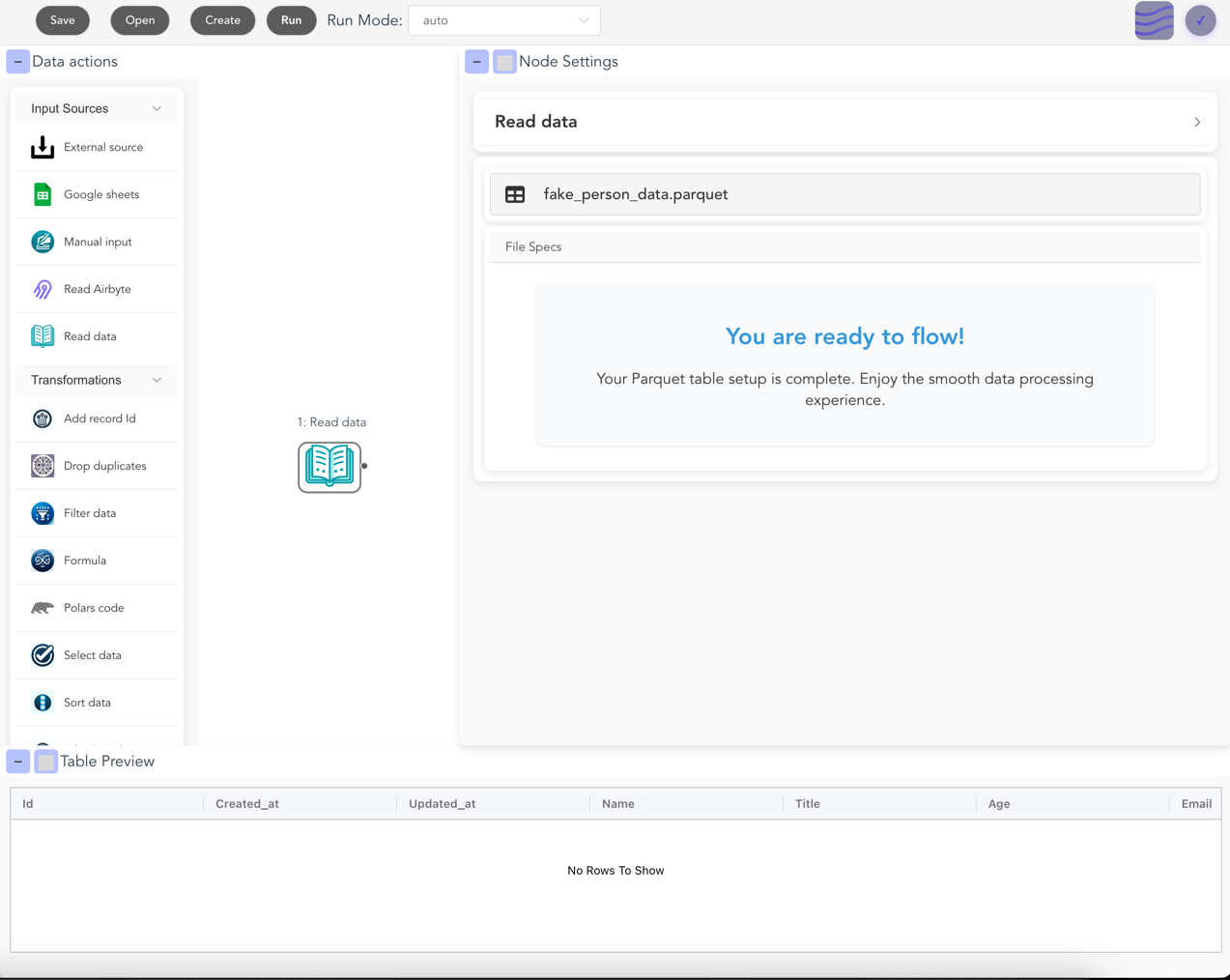
The happy path in the visual editor is short:
- Create a Kafka connection. In the Kafka Connections view, add
bootstrap_servers, pick asecurity_protocol(PLAINTEXT/SSL/SASL_PLAINTEXT/SASL_SSL), and — if SASL — a mechanism (PLAIN,SCRAM-SHA-256, orSCRAM-SHA-512) with username and password. Passwords are Fernet-encrypted at rest. The “Test connection” button uses the Kafka AdminClient to list topics; if that succeeds, the connection is good. - Add a Kafka Source node. Drop it on the canvas, pick the stored connection, pick a topic from the dropdown (Flowfile fetches the list via the AdminClient), and set:
sync_name— the stable consumer group ID for incremental reads. Keep it constant across runs.start_offset—earliestorlatest. Only used on the first ever consume for thatsync_name; after that, the broker remembers where you left off.max_messages— hard cap per run. Default 100 000.poll_timeout_seconds— how long to wait for new messages before ending the batch. Default 30.
- Wire it up. A Kafka Source node outputs a LazyFrame like any other source. Drop a Filter, a Select, a Group-By, a Formula — whatever the pipeline calls for.
- Land it. Wire the tail of the flow into a Delta writer, a Parquet writer, a database writer, or the Catalog writer. Hit run. The poll loop runs, rows spill to Arrow, the LazyFrame flows through your transformations, the write happens, offsets are committed on success.
The schedule is whatever you want. Flowfile’s scheduler, an external cron, Airflow — whatever triggers the flow.
Using it from Python
If you prefer the flowfile Python API over the editor, the equivalent call is ff.read_kafka(...). The signature, straight from the code:
# flowfile_frame/flowfile_frame/kafka.py
def read_kafka(
    connection_name: str,
    *,
    topic_name: str,
    max_messages: int = 100_000,
    start_offset: str = "latest",
    poll_timeout_seconds: float = 30.0,
    value_format: str = "json",
    flow_graph=None,
) -> FlowFrame:
    ...
A minimal example:
import flowfile as ff

# Assumes a Kafka connection named "prod-kafka" has been stored in Flowfile.
orders = ff.read_kafka(
    "prod-kafka",
    topic_name="orders",
    start_offset="earliest",
    max_messages=500_000,
    poll_timeout_seconds=60,
)

high_value = (
    orders
    .filter(ff.col("amount") > 1_000)
    .select(
        ff.col("_kafka_partition"),
        ff.col("_kafka_offset"),
        ff.col("_kafka_timestamp"),
        ff.col("customer_id"),
        ff.col("amount"),
    )
)

high_value.write_delta("s3://warehouse/orders_high_value/")
The FlowFrame is lazy — read_kafka(...) doesn’t consume any messages at the call site. It builds a node in the graph; the poll happens when the flow runs.
Kafka → Catalog via the sync endpoint
The most common shape — “land this Kafka topic into a managed table, incrementally, on a schedule” — has a dedicated API: POST /kafka/sync. It takes a KafkaSyncCreate request and generates a two-node flow for you, ready to be scheduled.
# flowfile_core/.../schemas/kafka_schemas.py
class KafkaSyncCreate(BaseModel):
    sync_name: str
    kafka_connection_id: int
    topic_name: str
    namespace_id: int | None = None
    table_name: str
    write_mode: Literal["append", "upsert", "overwrite"] = "append"
    merge_keys: list[str] = []
    start_offset: Literal["earliest", "latest"] = "earliest"
The generated flow is exactly what you’d draw by hand: a kafka_source node configured with sync_name=sync-<your_name>, wired into a catalog_writer node with your chosen write mode. The sync name is prefixed with sync- so its consumer group is easy to identify on the broker.
Three practical notes:
- The write mode is where the semantics live.
appendkeeps adding each micro-batch to the table.upsertusesmerge_keysto do a Delta-style merge — the right choice for CDC-shaped topics where the same key may appear more than once.overwritereplaces the table on every run, which is almost never what you want for a sync but exists for completeness. - The schema is inferred once at creation time. The endpoint consumes a small sample (via a throwaway consumer group) to infer the field list and stores it on the source node. If upstream producers add new fields later, you’ll need to re-run schema inference.
- Offsets start fresh. On creation, the endpoint calls
reset_consumer_group(...)for the new sync’s group so you’re guaranteed a clean starting point from your chosenstart_offset. After that, normal consumer-group tracking takes over.
Two companion endpoints round out the sync surface:
GET /kafka/sync/{sync_name}/offsets— current committed offsets per partition, read live from the broker. Useful for building a lag dashboard.POST /kafka/sync/{sync_name}/reset— reset the consumer group, so the next run starts over from the configuredstart_offset. Useful when the downstream table was rebuilt and you want to reload from scratch.
Security: what’s actually there
The Kafka connection model covers the standard ground:
- Security protocols.
PLAINTEXT,SSL,SASL_PLAINTEXT,SASL_SSL— the same literal setconfluent-kafkaaccepts. - SASL mechanisms. UI-exposed options are
PLAIN,SCRAM-SHA-256,SCRAM-SHA-512. The backend field is a free-form string, but the frontend constrains you to those three — which covers Confluent Cloud, Aiven, Redpanda Cloud, and most self-hosted brokers. - SSL. CA location, client cert location, and an encrypted client key PEM blob.
- Secrets at rest. The SASL password and the SSL key PEM are encrypted with Fernet before being stored, and round-tripped as
$ffsec$1$…-prefixed strings. They’re only decrypted at the point of use, insideto_consumer_config(decrypt_fn=...). schema_registry_url. The field exists on the connection schema and gets stored. It isn’t read by any deserializer yet — today’s single registered deserializer is plain JSON — so treat it as forward-compatible plumbing, not a feature you can use.
There’s also an explicit list of blocked extra_config prefixes: if you try to override sasl.*, ssl.*, security.protocol, bootstrap.servers, group.id, or the auto-commit / EOF flags via the free-form config bag, the override is silently dropped. The goal is to keep security and offset semantics controlled by the UI and not smuggled through the config bag.
What this is NOT
This post would be dishonest without a clear list of what the Flowfile Kafka integration does not do today:
- It’s not a stream processor. No windowing, no watermarks, no managed state, no Kafka Streams or Flink semantics. If you need tumbling-window aggregates with late-arrival handling and exactly-once end-to-end, this is the wrong tool. Use Flink or Kafka Streams.
- Consumer only. There’s no Kafka producer node. You can’t sink a Flowfile pipeline back into a Kafka topic — not yet.
- JSON only. One registered deserializer. No Avro, no Protobuf, no CSV-in-Kafka, no Kafka Connect–style converters.
- Schema Registry is plumbing, not a feature. The URL field is stored on the connection. It isn’t used. Don’t expect Confluent-Schema-Registry integration based on the current code.
- One topic per node. A Kafka Source node subscribes to exactly one topic. If you need five topics, that’s five nodes — which is usually the right shape anyway, since each topic becomes its own lineage branch in the graph.
- Bounded per-run, not continuous. Every run is a micro-batch capped by
max_messagesandpoll_timeout_seconds. There’s no long-lived consumer process that runs forever. You trigger runs on whatever cadence makes sense for the downstream data.
If your workload fits inside those limits, this integration will save you a lot of operational overhead. If it doesn’t, reach for a tool that’s actually designed for the thing you need.
When to reach for this (and when not to)
Use Flowfile’s Kafka source when:
- You want Kafka topics landed into a Delta / Iceberg / Parquet table on a schedule — near-real-time but not real-time.
- Your records are JSON and have a sensible analytical shape.
- “A few minutes of latency” is acceptable.
- You want one dataframe engine (Polars) across Kafka, databases, cloud storage, and local files — not a separate streaming stack.
- You want the pipeline visible in a visual editor and exportable as plain Python.
- You need offset tracking, retries on failure, and incremental reads — but not full streaming semantics.
Reach for something else when:
- You need per-event decisions with sub-second latency (fraud scoring, real-time bidding).
- You need windowed aggregates with watermarks, late-arrival handling, and exactly-once semantics across sources and sinks.
- Your payloads are Avro or Protobuf and you need Schema Registry integration today.
- You need to produce to Kafka from the pipeline as well as consume.
- You’re doing complex stream-stream joins that actually require a stateful streaming engine.
For everything in between — the large middle of analytics work that calls itself “streaming” but is really “frequent batches” — micro-batching with a sane consumer, a good dataframe engine, and consumer-group offset tracking is the right shape. That’s what this integration ships.
Further reading
- Kafka for Analysts: A Practical Guide to Streaming as Micro-Batches — the conceptual companion to this post. Read it first if “why micro-batches?” isn’t already settled in your head.
- Demystifying Delta Lake — the natural sink for a Kafka sync. Why Delta matters for append-heavy, append-then-merge analytics tables.
- Local Compute, Cloud Catalog — how the catalog side of a Kafka-to-Catalog sync fits with the rest of Flowfile.
- Polars vs Pandas in 2026 — why the Kafka source hands off to a Polars LazyFrame, not a pandas DataFrame.
- Apache Kafka documentation — the canonical source on partitions, consumer groups, and the log model this post builds on.
Frequently asked questions
- Does Flowfile need Flink, Spark, or Kafka Streams to consume from Kafka?
- No. Flowfile's Kafka source is a plain confluent-kafka consumer that polls a topic in batches of 500 messages, spills rows to an Apache Arrow IPC file every 100 000 rows, and hands the result to the rest of the flow as a Polars LazyFrame. No JVM, no cluster manager, no separate streaming runtime.
- What message formats does Flowfile's Kafka source support?
- JSON only, today. The Kafka source deserializes message values as JSON objects via a single registered JsonDeserializer. A Schema Registry URL field exists on the connection schema, but Avro and Protobuf deserializers are not yet wired up.
- How does Flowfile avoid re-reading the same Kafka messages on each run?
- It uses Kafka consumer groups. Each Kafka Source node has a sync_name, which becomes the consumer group ID on the broker. After a flow finishes successfully, Flowfile commits the new offsets for that group. The next run starts from the committed position. If the downstream flow fails, the commit is skipped and the messages are consumed again on retry.
- What security options does the Kafka connection support?
- The standard set: PLAINTEXT, SSL, SASL_PLAINTEXT, and SASL_SSL. SASL mechanisms exposed in the UI are PLAIN, SCRAM-SHA-256, and SCRAM-SHA-512. Passwords and SSL key PEMs are stored Fernet-encrypted and only decrypted at the point of use.
- Can Flowfile produce messages back to Kafka?
- Not today. The Kafka integration is consumer-only. Flowfile reads from Kafka, transforms with Polars, and lands into Delta, Parquet, databases, or the catalog, but it doesn't publish back to a Kafka topic.
- Can I consume Kafka from Flowfile's Python API?
- Yes, via ff.read_kafka(connection_name, topic_name=..., ...). The Python helper resolves a stored connection by name, creates a Kafka source node in the flow graph, and returns a FlowFrame — the same object you'd use with any other source.